
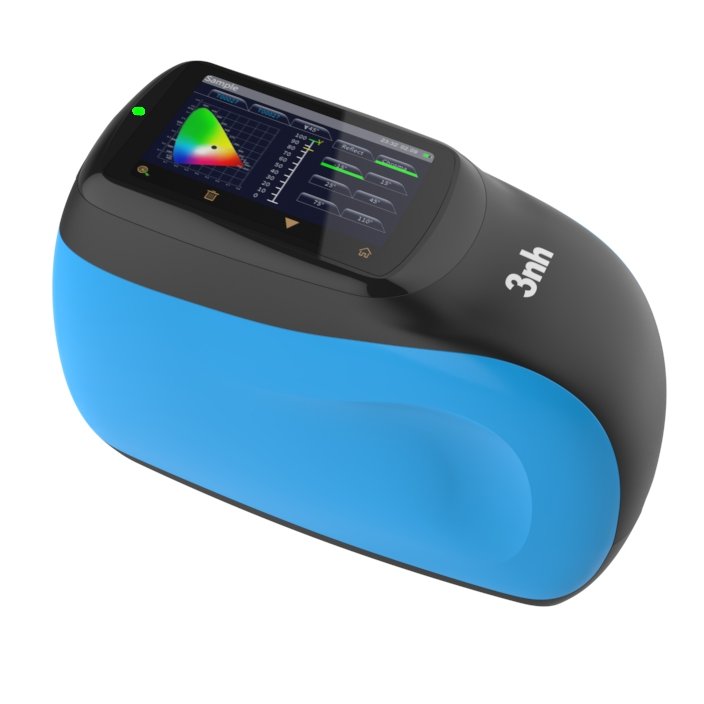
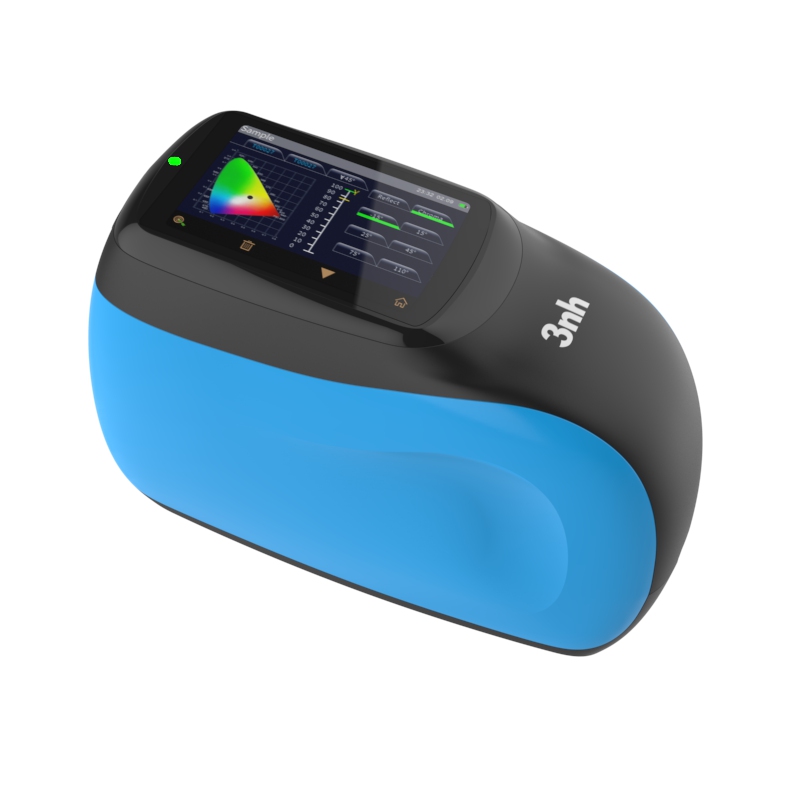
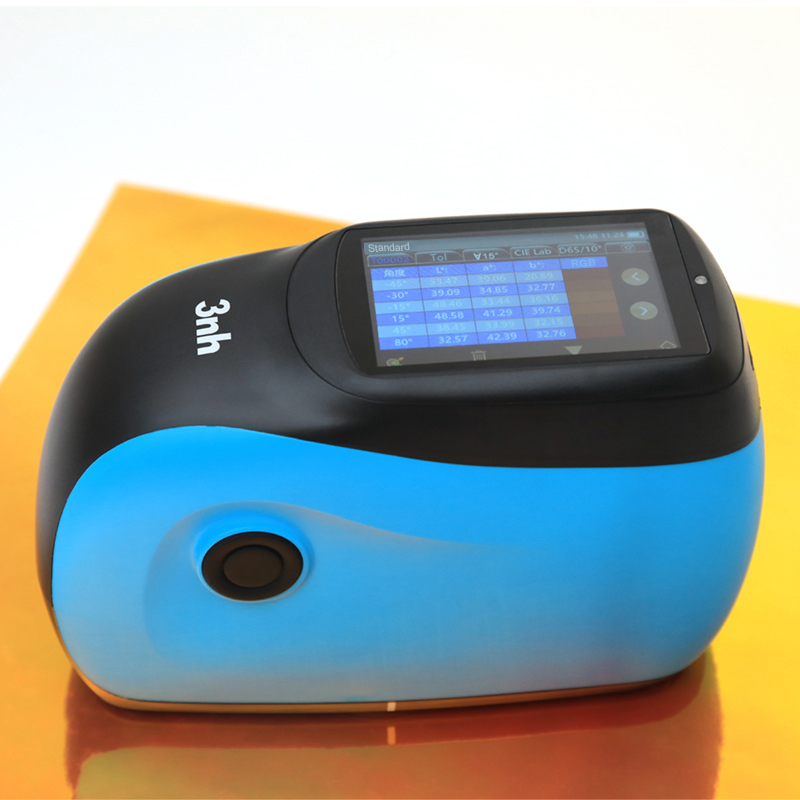
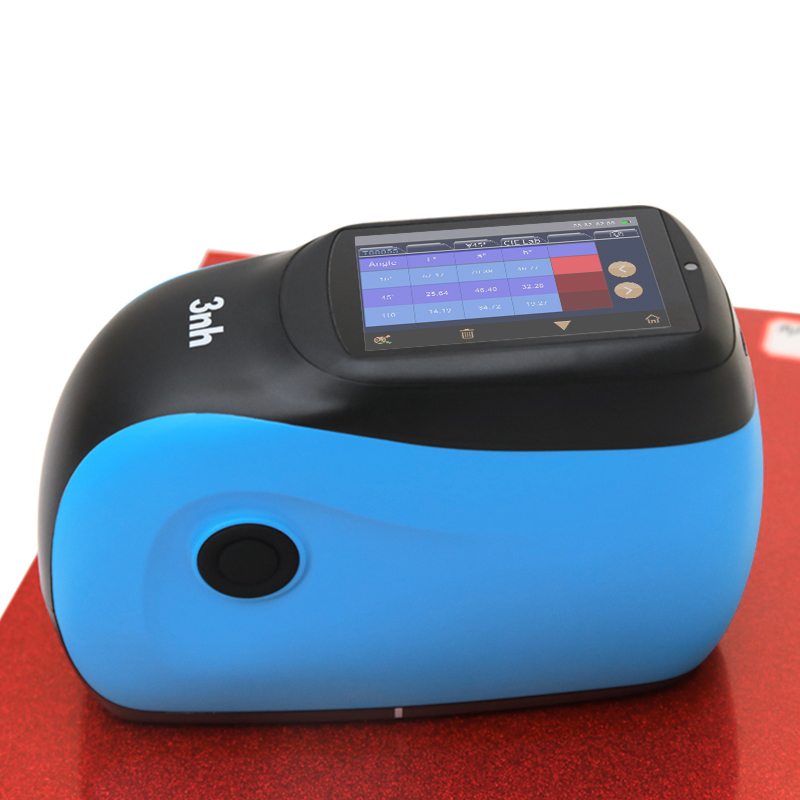
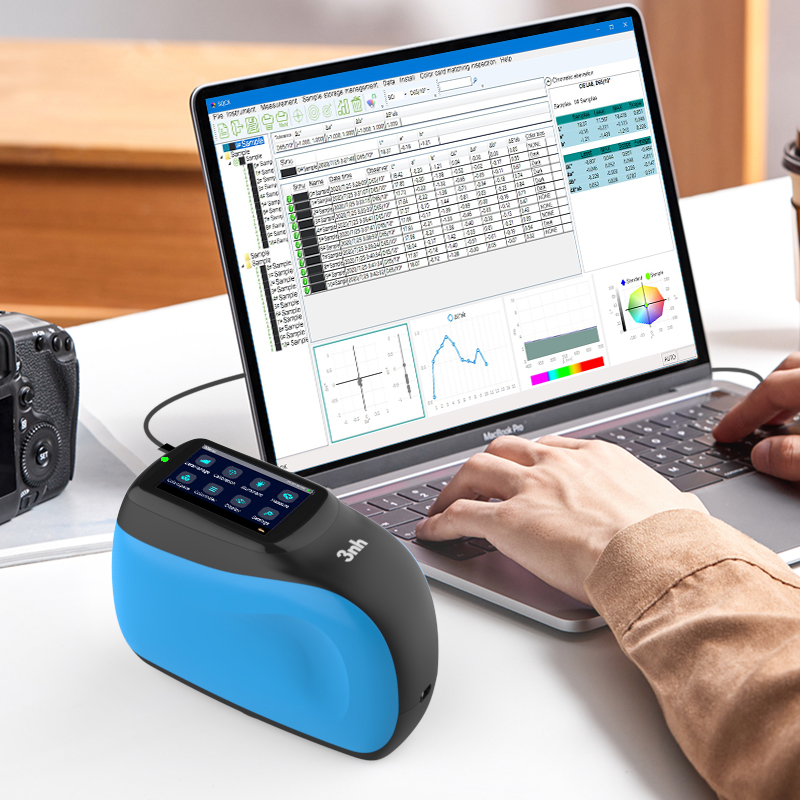
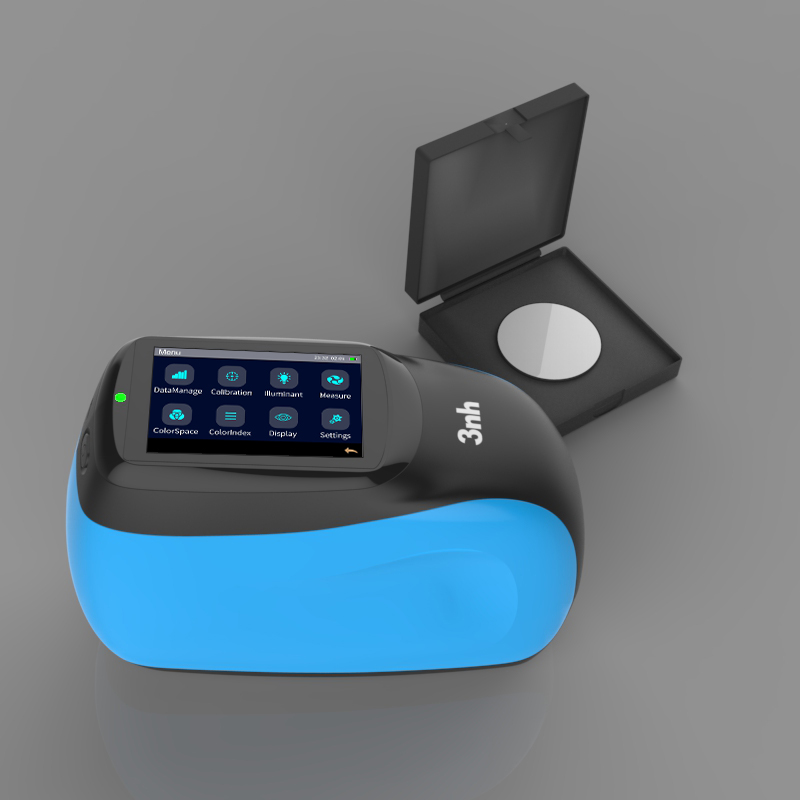
3nh KS012 is a multi-angle spectrophotometer designed for complex special effect color measurement. It uses grating spectroscopy and a multi-angle system to precisely capture effect finishes in automotive, plastic, cosmetic, and coating industries. With 12 precisely arranged measurement angles and a blue-enhanced full-spectrum LED light source, the KS012 delivers accurate and consistent color measurement for solid, metallic, pearlescent, and other complex special effect colors.
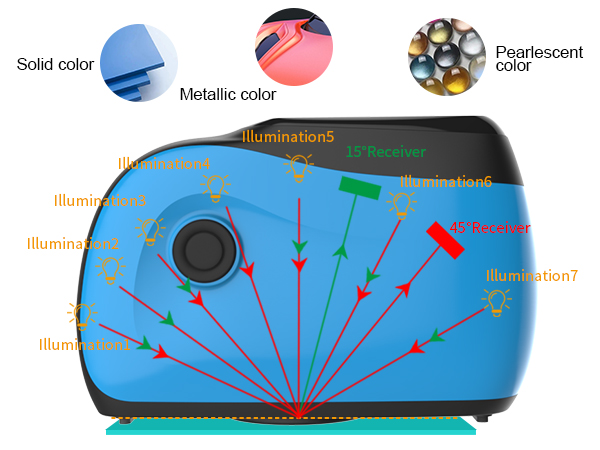
The KS012 sets the standard for quality measurement of special effect and complex materials. With 12 spectral angles covering a full range from low to high, it precisely captures color variation in effect finishes. Suitable for solid, metallic, pearlescent and all effect finish types, it meets diverse measurement needs across automotive exteriors, plastics, cosmetic packaging and more.
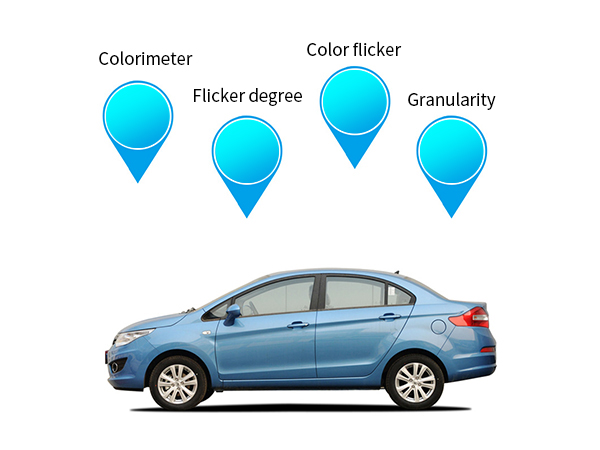
Quickly and accurately assess and define color, sparkle, sparkle grade and graininess characteristics on complex surfaces, with excellent repeatability and reproducibility.
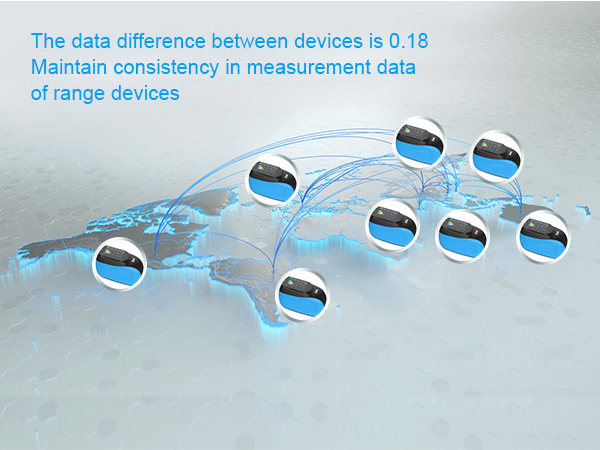
An inter-instrument agreement as low as 0.18 ∆E* ensures consistent data across different plants and regions.
Supports storage of 1000 standards and 10000 samples for easy traceability.
Compatible with international color standards, data can be integrated into global supply chains. Multi-language support (English, Chinese, Traditional Chinese, Russian) adapts to global teams.
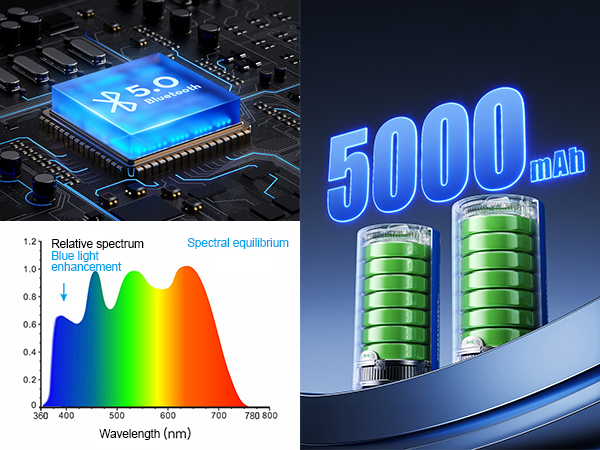
Blue-Enhanced Full-Spectrum LED: Ensures complete visible light spectrum distribution, avoiding spectral deficiencies in specific wavebands.
Extended Lifespan: Up to 10 years / 5 million measurements, exceeding industry standards, reducing maintenance costs while ensuring accuracy.
Industrial-Grade MCU: Real-time processing MCU with stable WiFi and Bluetooth 5.0 transmission.
High-Capacity Battery: Built-in 5000mAh Li-ion battery supports 5000 continuous tests on a full charge.
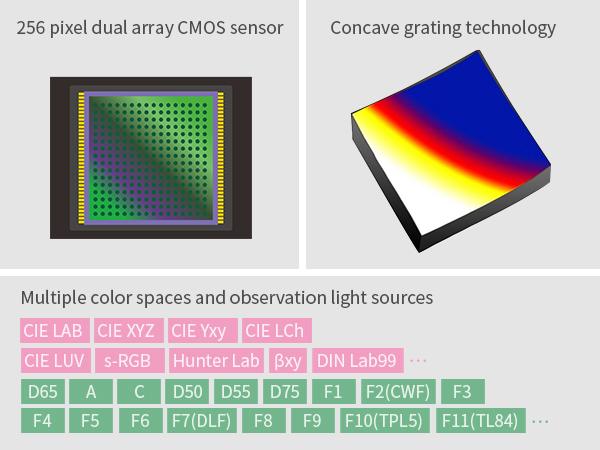
256-Pixel Dual-Array CMOS Image Sensor:
256-Pixel Dual-Array CMOS Sensor: Higher optical resolution ensures measurement speed, accuracy, stability and consistency. Core technology compatible with international standards.
Concave grating beam splitting technique:
Use concave grating spectroscope technology, have higher resolution, make color measurement more accurate.
Professional Whiteboard:
High surface hardness, stable optical properties.
Multiple Color Spaces & Illuminants:
Supports CIE LAB, XYZ, Yxy, LCh,βxy,DIN Lab99, RGB, Hunter Lab,Illuminants include D65, A, C, D50, D55, D75, F1, F2(CWF), F3, F4, F5,F6, F7(DLF),F8,F9,F10(TPL5), F11(TL84), F12(TL83/U30), B,U35,NBF,ID50,ID65, LED-B1,LED-B2,LED-B3,LED-B4,LED-B5,LED-BH1,LED-RGB1,LED-V1,LED-V2,LED-C2,LED-C3,LED-C5,Meets special measurement requirements under various conditions.
Color Indices:
Flop Index, goniochromism index, metamerism index.
Intuitive Display:
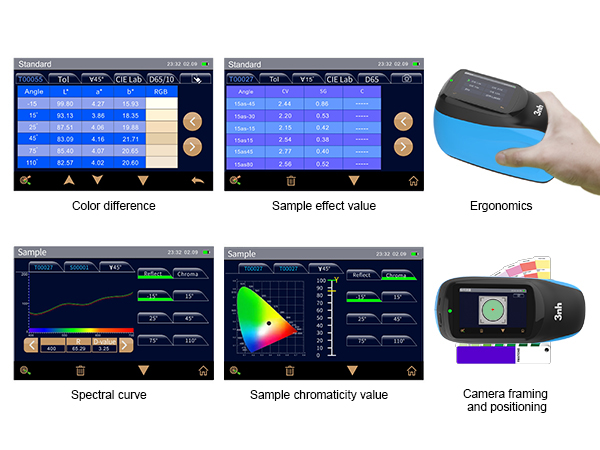
Touchscreen shows measurement results from all angles simultaneously for comprehensive data viewing.
Easy Data Analysis:
Screen clearly displays spectral graphs/data, sample color values, color difference values/graphs, pass/fail results, color simulation, sample effect values, and effect difference values. Enhances efficiency while simplifying review.
Color Camera Preview:
Built-in color camera with positioning clearly shows the measurement area, improving accuracy and efficiency.
Ergonomic Design:
Novel and stylish appearance designed for comfortable operation. Grip area and measurement button are precisely positioned to accommodate different holding habits. Smooth, refined surface achieved through high-precision finishing.
| Product Model | KS012 |
| Measurement Geometry | 12 Measurement Angles (7 measurement light sources + 1 camera illumination source, 2 receiver) |
| Color Measurement Angles |
45°Receiver: 45as-15°,45as15°,45as25°,45as45°,45as75°,45as110° 15°Receiver: 15as-45°,15as-15°,15as15°,15as-30°,15as45°,15as80° Compliant Standards:ASTM D 2244,E 308,E 1164,E 2194, E2539,DIN 5033,5036,6174,6175-1,6175-2;ISO 7724, 11664-4 SAE J 1545 |
| Features | For solid colors, metallic finishes, pearlescent effects, and other complex special effect coatings, it delivers precise and consistent color measurement. |
| Illuminant | Blue-enhanced full-spectrum LED |
| Illuminant Lifespan | 10 years / 5 million measurements |
| Spectral Method | Concave grating |
| Detector | 256-pixel dual-array CMOS image sensor |
| Measurement Wavelength Range | 400nm-700nm |
| Wavelength Interval | 10nm |
| Measurement Range | 0~600% |
| Bandwidth | 10nm |
| Measurement Aperture | Illumination Φ23mm / Sampling 9×12mm (Customizable: Illumination Φ10mm / Sampling 6×8mm) |
| Color Spaces | CIE LAB,XYZ,Yxy,LCh,βxy,DIN Lab99,RGB,Hunter Lab |
| Color Difference Formulas | ΔE*ab,ΔE*94,ΔE*cmc(2:1) ,ΔE*cmc(1:1),ΔE*00, DINΔE99,ΔE DIN6175,Various Automotive Brand Color Difference Formulas,ΔE(Hunter),ΔE*ch,ΔE*uv |
| Other Colorimetric Indicators | Flop Index / Metamerism Index |
| Observer Angles | 2°/10° |
| Illuminant Types |
D65,A,C,D50,D55,D75,F1,F2(CWF),F3,F4,F5,F6,F7(DLF),F8,F9,F10(TPL5),F11(TL84),F12(TL83/U30),B,U35,NBF, ID50,ID65,LED-B1,LED-B2,LED-B3,LED-B4,LED-B5,LED-BH1,LED-RGB1,LED-V1,LED-V2,LED-C2,LED-C3,LED-C5 |
| Display | Spectral Graph/Data, Sample Colorimetric Values, Color Difference Value/Graph, Pass/Fail Results, Color Simulation, Sample Effect Values, Effect Difference |
| Measurement Time | Measurement Time: Approx. 1s per angle, approx. 12s for all angles |
| Color Repeatability |
Spectral Reflectance: Standard deviation within 0.08% Chromaticity Value: 0.02 ΔE*ab (average of 30 measurements on white tile at 5s intervals after instrument warm-up and calibration) |
| Color Reproducibility |
△E*<0.10,average on gray BCRA tiles △E*<0.25,average on chromatic BCRA tiles |
| Inter-Instrument Error | 0.18 ΔE*00 (average on 12 BCRA Series II tiles) |
| Effect Parameters | Sparkle, Color Sparkle, Graininess |
| Effect Measurement |
6-Angle Sparkle and Color Sparkle: 15°as-45°, 15°as-30°, 15°as-15°, 15°as15°, 15°as45°, 15°as80° 15° Diffuse Graininess |
| Effect Repeatability |
Sparkle Short-Term Repeatability: 0.11% (standard deviation of 10 measurements) (Average of 10 measurements on BCRA tile at 10s intervals after instrument warm-up and calibration) Graininess Short-Term Repeatability: 0.08% (standard deviation of 10 measurements) (Average of 10 measurements on BCRA tile at 10s intervals after instrument warm-up and calibration) |
| Effect Reproducibility |
Sparkle Reproducibility: 1.8% (standard deviation of 10 measurements) (Average on 12 BCRA Series II tiles) Graininess Reproducibility: 1.3% (standard deviation of 10 measurements) (Average on 12 BCRA Series II tiles) |
| Trigger Mode | Button trigger, software trigger |
| Measurement Mode | Single measurement, average measurement (1~99 times), continuous measurement (1~99 times) |
| Positioning Method | Color camera preview |
| Dimensions | Length * Width * Height = 195 *83 *128 mm |
| Weight | Approx. 1 kg |
| Battery Capacity | Lithium battery, 3.7V, 5000mAh, 5000 continuous tests within 8 hours when fully charged |
| Display Screen | TFT true color 3.5-inch capacitive touch screen |
| Interface | USB, Bluetooth |
| Data Storage | 1000 standards, 10000 samples |
| Languages | Simplified Chinese, English, Traditional Chinese, Russian |
| Operating Temperature Range | 10℃ to 50℃, humidity ≤85%, non-condensing |
| Storage Temperature Range | -20℃ to 50℃, humidity ≤85%, non-condensing |
| Calibration | Built-in white plate parameters, external white plate, black trap |
| Calibration Interval | 4h, 8h, 24h, power-on calibration |
| Standard Accessories | Power adapter, data cable, instruction manual, quality management software (download from official website), calibration box, black trap, protective cover, wrist strap |
| Optional Accessories | Micro printer |
| Notes | Technical specifications are for reference only. The actual product shall prevail. |
1. When I received NH310/NH300 colorimeter and perform measurement, why the measured data is abnormal?
After receiving NH310/NH300, you have to perform white and black calibration manually when first starting.
2. In which condition, manual white and black calibration and auto calibration are required for NH310?
a. It’s needed to perform manual calibration for NH310 when first starting.
b. In the subsequent starting, NH310 will perform auto calibration at startup. No need to perform manual calibration.
c. Suggestion: it’s best to perform manual calibration once a week or when NH310 measured data is not accurate.
3. In which condition, manual white and black calibration for NH300 is required?
a. It’s needed to perform manual calibration for NH300 when first starting.
b. In the subsequent starting, no need to perform manual calibration.
c. Suggestion: it’s best to perform manual calibration once a week or when NH300 measured data is not accurate.
4. How to replace NH310 measuring aperture?
There are three measuring apertures for NH310: Φ8mm (standard accessory), Φ4mm (standard accessory), extended Φ8mm (optional accessory)
a. Turning on
b. Removing measuring aperture, install the needed measuring aperture.
c. Select “Settings-Aperture Setting” in main menu to select corresponding measuring aperture.
d. After selecting aperture, the instrument will display “White and Black Calibration” interface. White and black calibration must be performed.
e. Replace completed.
5. CQCS3 (Color Quality Control System) Installation
a. Before installation, please Copy CQCS3 folder to your computer and don’t remove any files in CQCS3 folder.
b. Double-click the setup.exe to install CQCS3 software.
c. Then double-click Install.bat under the CQCS3\USB_Driver file to install the driver.
d. Detailed installation information please read the "Installing Software" under CQCS3 User manual.doc.
6. How to check communication port?
a. Connect colorimeter to the PC with USB cable.
b. Turn on the colorimeter to enter main menu. Select “Comm” and press “Enter” key to start communication.
c. Right click on “My Computer” on the desktop. Click “Manage” -> “Device Manager” -> “Ports”, you can see similar display as “SCI USB2Serial (COM6)”.
d. Click “Settings->Communication Parameters” in CQCS3 software interface. Select the corresponding port in “Serial Port”.
7. After completing CQCS3 installation, how to solve the problem if it display “! USB Device” or “! SCI USB2Serial (COM6)” when checking the communication port?
a. Right click “! USB Device” or “! SCI USB2Serial (COM6)”, “Update Driver” -> “Install from a list or specific location (Advanced)” -> “Next” ->“Include this location in the search” -> “Browse”, specify USB driver file path “CQCS3\USB_Driver”, click “Next”. Then it will install successfully.
b.Detailed installation information please refers to “2.2 Installing USB Driver” in Color Quality Management System User Manual.doc.
8. Notes for First Using CQCS3 Software
a. Users must specify Standard File Name, Sample File Name and Sample Database File Name when first use.
b.Standard File is use to store standard measurement data. Sample File is used to store sample measurement data. Sample Database File is used to store the measured data exported from sample records.
9. How to solve the problem when “Connection Timeout” occurred?
a. When the colorimeter is disconnected to the PC, “Connection Timeout” will occur. At the moment, you have to check whether the USB cable is well connected the colorimeter and the PC. Then you can re-plug the USB to try out.
b. After ensuring the colorimeter is connected to the PC with USB cable, turn on the colorimeter and enter the main menu. Select “Comm” and press “Enter” key to start communication.
c. Turn off CQCS3 software, and reopen it.
10. How to solve the problem when the interface display "USB Disconnect"
a. Check whether the USB cable is connected. If not, please connect it. Check whether the connection is effective. You can re-plug the USB cable to test.
b. If the USB cable is connected well but the interface still displays "USB Disconnect", please re-start the colorimeter and enter "Menu" -"Comm"to start the communication.
c. Change the USB cable or change the USB port in you PC.
11. How to solve the problem when the colorimeter cannot be turned on in the condition of battery-powered?
a. If this phenomenon occurred, it means the battery power is not enough. You need to charge the battery.
b. When charge the battery, please insert the battery to the instrument, and plug in the adapter to charge the battery. After 5 minutes, the instrument can be turned on.
c. If the instrument still cannot be turned on after charging 5 minutes, you can pull out the adapter and re-plug in to check it. Or repeat this operation.
d. If the instrument still cannot be turned on after charging 5 minutes, you can turn off the colorimeter and turn on it again to check it. Or repeat this operation.
e. If you have tried all the methods above but the colorimeter still cannot be turned on, please change the battery.
