
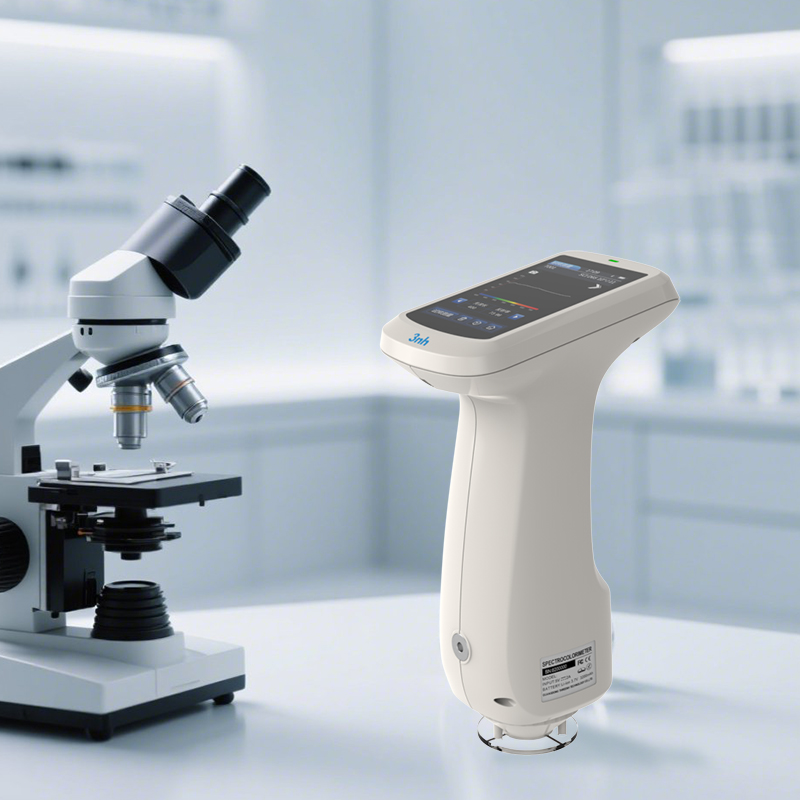
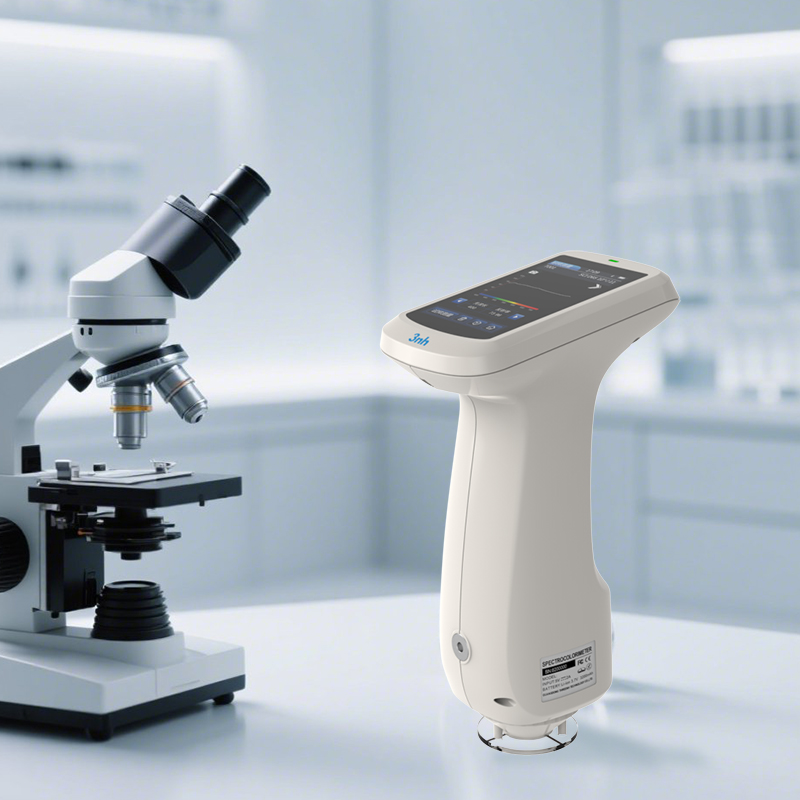
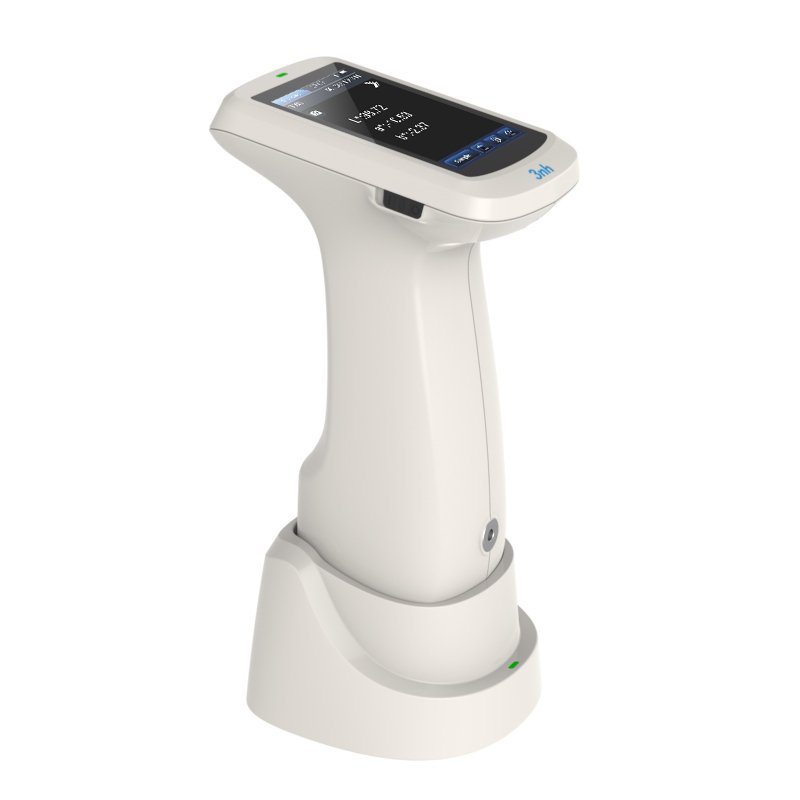
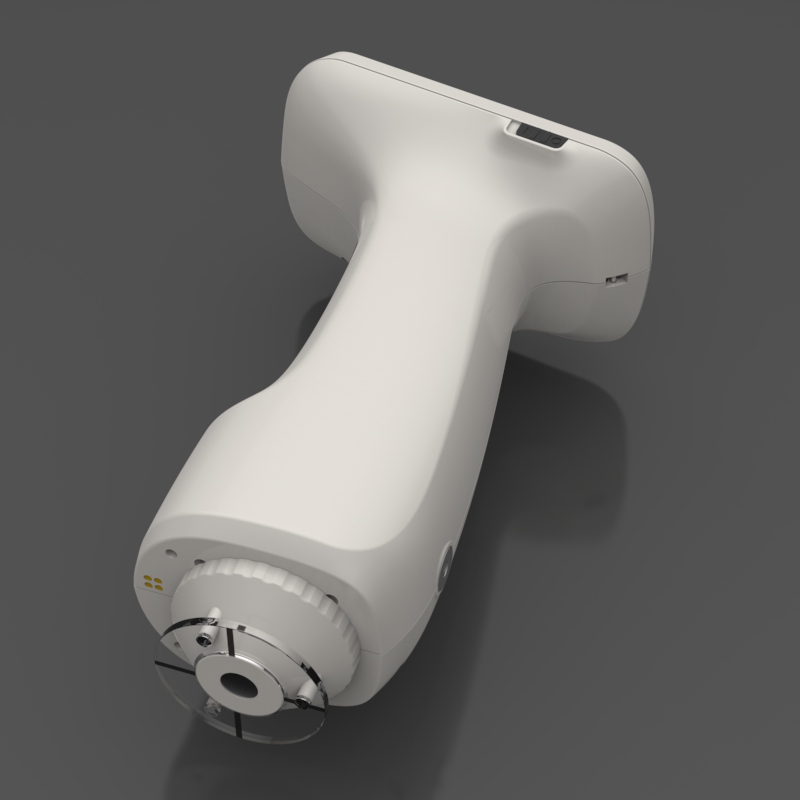
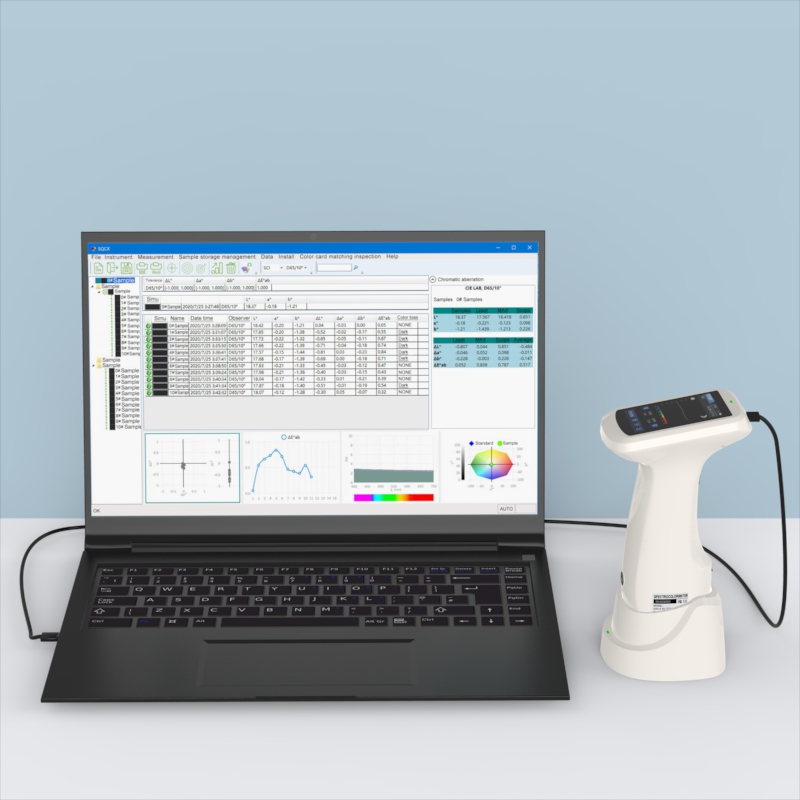
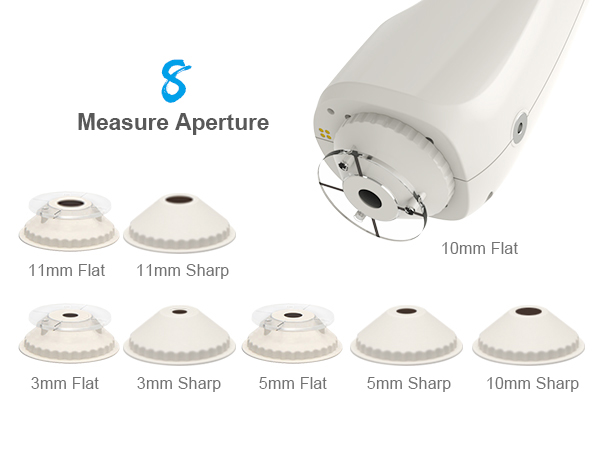
Specifically designed for measuring fluorescent and various other sample types. Built upon a standard configuration with an added UV light source for accurate color measurement of fluorescent materials. Features 8 measurement apertures (3mm/5mm/10mm/11mm platform + pointed tip) to cover all sample forms. Delivers a repeatability of ΔEab ≤ 0.028 and inter-instrument agreement of ΔEab ≤ 0.35. Data stability is ensured by first-grade metrology certification and a dual-beam optical system. Supports multi-system collaboration and cloud data sharing. Widely applicable in industries such as plastics, electronics, paints, and inks involving fluorescent materials.
Exclusive Fluorescence Measurement: UV light source combined with full-spectrum LED illumination ensures no spectral gaps, accurately capturing the color information of fluorescent samples.
High-Precision Performance: Achieves a repeatability of ΔEab ≤ 0.028 and an inter-instrument agreement of ΔEab ≤ 0.35. The dual-beam optical system design monitors light source energy fluctuations, reducing measurement interference to ensure batch consistency.
Internationally Recognized D/8 SCI/SCE Technology: Employs D/8 SCI/SCE technology, compliant with international standards such as CIE, ISO, and ASTM, meeting color management requirements across multiple industries.
Authoritative Metrology Certification: Certified with first-grade metrology standards. Each unit is factory-calibrated and verified by an authoritative body, with data traceable to national metrology institutes, ensuring reliable results.
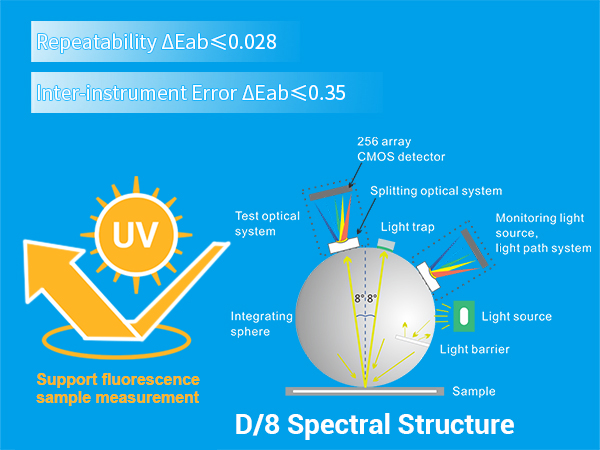
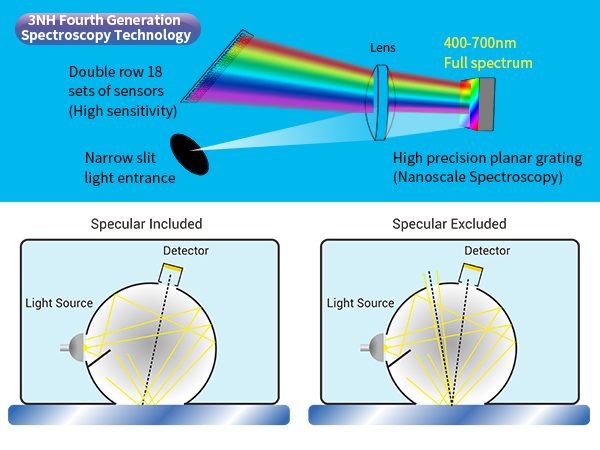
Core Optical Components: Dual-row 18-group silicon photodiode array (spectral response 400-700nm) and a nano-integrated spectral device. Ensures no saturation under strong light and high sensitivity in low light for precise data across all wavelength bands.
Full-Band Balanced LED + UV Light Source: Combines a 400-700nm full-band balanced LED with a UV light source, enabling measurement of both regular and fluorescent samples while avoiding spectral gaps.
Advanced Architecture Design: Features an optical resolution of less than 10nm and supports simultaneous SCI/SCE measurement, balancing speed, accuracy, and stability.
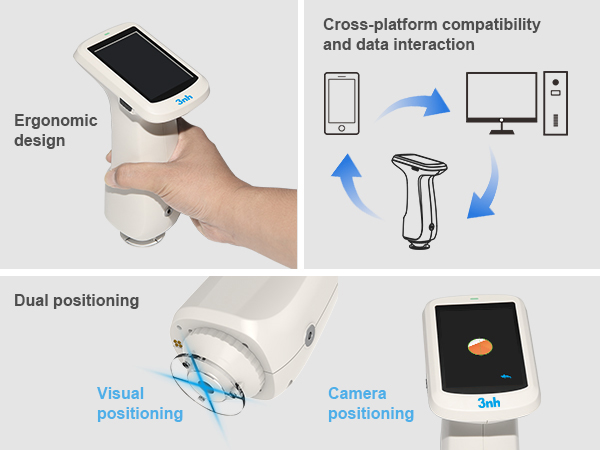
Auto Calibration + Precise Targeting: Features non-contact automatic white board calibration (standard white board reflectance ≥95%), combined with real-time camera framing and a stabilizer plate to reduce measurement errors and enable quick mastery.
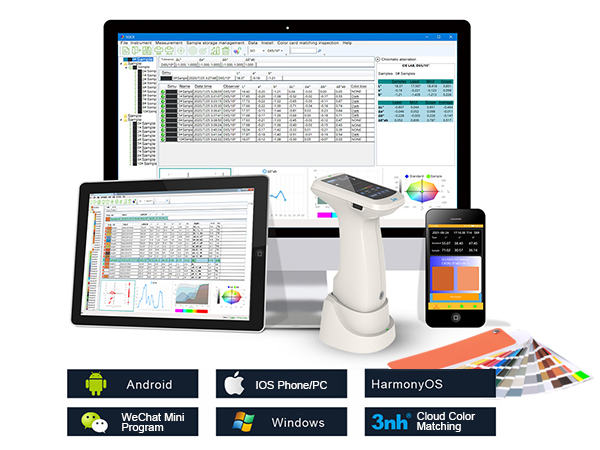
Multi-System Compatibility: Supports Android, iOS, Windows, HarmonyOS, and other systems. Operable via mobile app, WeChat mini-program, and PC, with cross-device data synchronization.
Ergonomic Design for Easy Measurement: Ergonomic appearance with a large touchscreen and optimized grip design. The clean, intuitive interface requires no complex training.
Full Aperture Coverage: 8 aperture specifications (3/5/10/11mm platform + pointed tip) suitable for samples of various forms, including flat, curved, and concave-convex surfaces.
Multiple Color Spaces and Illuminants:Offers a wide selection of color spaces: CIE LAB, XYZ, Yxy, LCh, CIE LUV, s-RGB, HunterLab, βxy, DIN Lab99.
Provides diverse illuminants: D65, A, C, D50, D55, D75, F1, F2 (CWF), F3, F4, F5, F6, F7 (DLF), F8, F9, F10 (TPL5), F11 (TL84), F12 (TL83/U30), U35, NBF, ID50, ID65.Meets special measurement requirements under different conditions.
Industry Adaptability:Switchable measurement modes for color difference quality control in industries such as plastics, electronics, paints and inks, textile dyeing and printing, printing, and ceramics; includes UV mode for fluorescent sample measurement.
Cloud Data Management: Store up to 500 standards synchronously via the app/mini-program to establish a personal cloud database, enabling data sharing anytime, anywhere.
Professional Software Support: Compatible quality management software supports Android, iOS, Windows, HarmonyOS, and other systems. It generates test reports, compares color differences, and customizes color management workflows to meet industrial-grade quality control requirements.
| Model | KS-220 Spectrophotometer |
| Illumination/Viewing Geometry | D/8 (Diffuse illumination, 8° viewing), SCI/SCE (Specular Component Included/Excluded). Compliant with CIE No.15, GB/T 3978, GB 2893, GB/T 18833, ISO7724-1, ASTM E1164, DIN5033 Teil7. |
| Features | Utilizes a dual-path silicon photodiode array. Ideal for color difference quality control in industries such as plastics, electronics, paints and inks, textile dyeing and printing, printing, and ceramics. |
| Light Source | Combined Full-Spectrum LED Light Source, UV Light Source |
| Integrating Sphere Size | Φ40mm |
| Spectral Device | Nano-integrated spectral device |
| Sensor | Silicon photodiode array (dual-row, 18 groups) |
| Wavelength Range | 400-700nm |
| Wavelength Interval | 10nm |
| Measurement Aperture | 8 Apertures: 3mm platform + 3mm pointed tip+ 5mm platform+ 5mm pointed tip+ 10mm platform+ 10mm pointed tip+11mm platform+ 11mm pointed tip |
| Specular Mode | Simultaneous measurement |
| Color Space | CIE LAB,XYZ,Yxy,LCh,CIE LUV,s-RGB,HunterLab,βxy,DIN Lab99 |
| Color Difference Formula | ΔE*ab,ΔE*uv,ΔE*94, ΔE*cmc(2:1),ΔE*cmc(1:1), ΔE*00,DINΔE99,ΔE(Hunter) |
| Other Color Indices | Spectral Reflectance, WI (ASTM E313, CIE/ISO, AATCC, Hunter, Taube, Berger, Stensby), YI (ASTM D1925, ASTM 313), Metamerism Index MI, Staining Fastness, Shade Change Fastness, Strength, Opacity, 555 Shade Classification, Munsell (C/2), Blackness (My, dM), Color Density CMYK, Tint (Some functions realized via PC software) |
| Observer Angle | 2°/10° |
| Calibrated Illuminants | D65,A,B,C,D50,D55,D75, F1,F2(CWF),F3,F4,F5,F6,F7(DLF),F8, F9,F10(TPL5),F11(TL84),F12(TL83/U30), U35,NBF,ID50,ID65,LED-B1,LED-B2,LED-B3, LED-B4,LED-B5,LED-BH1,LED-RGB1, LED-V1,LED-V2(Partially realized via PC software) |
| Display Data | Spectral graph/data, sample color values, color difference values/graph, pass/fail results, color simulation, color bias |
| Measurement Time | Approx. 1 second |
| Repeatability |
Chromaticity Value: Within ΔE*ab 0.028 (Standard deviation) for MAV/SCI (after warm-up and calibration, average of 30 readings of white board at 5s intervals). Spectral Reflectance: Within 0.1% standard deviation for MAV/SCI (within 0.2% for 400-700nm). |
| Inter-Instrument Error | Within ΔE*ab 0.35 for MAV/SCI (average of 12 BCRA Series II color tiles). |
| Displayed Accuracy | 0.01 |
| Reflectance Range | 0-200% |
| Reflectance Resolution | 0.01% |
| Measurement Mode | Single measurement, average measurement (2-99 times). |
| Targeting | Stabilizer plate positioning + Camera framing. |
| White Calibration | Contact-type white calibration. |
| Dimensions | 120*75*207mm |
| Weight | 367g(without calibration base) |
| Battery | Lithium-ion battery, 3.7V, 3200mAh, supports 8000 measurements within 8 hours. |
| Light Source Life | Over 1.2 million measurements for 10 years. |
| Display | TFT true color 3.5-inch capacitive touch screen. |
| Interface | USB,Bluetooth |
| Data Storage | 500 standards, 10,000 samples (SCI/SCE data included in one record). Mass storage via APP/PC. |
| Software Support | Android, iOS, Windows, WeChat Mini-Program, HarmonyOS. |
| Languages | Simplified Chinese, English, Traditional Chinese |
| Operating Environment | Temperature: 0~40℃, Humidity: 0~85% RH (non-condensing), Altitude: below 2000m. |
| Storage Environment | Temperature: -20~50℃, Humidity: 0~85% RH (non-condensing). |
| Accuracy Guarantee | Ensured first-grade metrology certification |
| Standard Accessories | Power adapter, data cable, user manual, quality management software (download from official website), white calibration box, protective cover, wrist strap, measurement apertures. |
| Optional Accessories | Micro-printer, powder test box. |
| Note | Specifications are subject to change without prior notice. |
1. When I received NH310/NH300 colorimeter and perform measurement, why the measured data is abnormal?
After receiving NH310/NH300, you have to perform white and black calibration manually when first starting.
2. In which condition, manual white and black calibration and auto calibration are required for NH310?
a. It’s needed to perform manual calibration for NH310 when first starting.
b. In the subsequent starting, NH310 will perform auto calibration at startup. No need to perform manual calibration.
c. Suggestion: it’s best to perform manual calibration once a week or when NH310 measured data is not accurate.
3. In which condition, manual white and black calibration for NH300 is required?
a. It’s needed to perform manual calibration for NH300 when first starting.
b. In the subsequent starting, no need to perform manual calibration.
c. Suggestion: it’s best to perform manual calibration once a week or when NH300 measured data is not accurate.
4. How to replace NH310 measuring aperture?
There are three measuring apertures for NH310: Φ8mm (standard accessory), Φ4mm (standard accessory), extended Φ8mm (optional accessory)
a. Turning on
b. Removing measuring aperture, install the needed measuring aperture.
c. Select “Settings-Aperture Setting” in main menu to select corresponding measuring aperture.
d. After selecting aperture, the instrument will display “White and Black Calibration” interface. White and black calibration must be performed.
e. Replace completed.
5. CQCS3 (Color Quality Control System) Installation
a. Before installation, please Copy CQCS3 folder to your computer and don’t remove any files in CQCS3 folder.
b. Double-click the setup.exe to install CQCS3 software.
c. Then double-click Install.bat under the CQCS3\USB_Driver file to install the driver.
d. Detailed installation information please read the "Installing Software" under CQCS3 User manual.doc.
6. How to check communication port?
a. Connect colorimeter to the PC with USB cable.
b. Turn on the colorimeter to enter main menu. Select “Comm” and press “Enter” key to start communication.
c. Right click on “My Computer” on the desktop. Click “Manage” -> “Device Manager” -> “Ports”, you can see similar display as “SCI USB2Serial (COM6)”.
d. Click “Settings->Communication Parameters” in CQCS3 software interface. Select the corresponding port in “Serial Port”.
7. After completing CQCS3 installation, how to solve the problem if it display “! USB Device” or “! SCI USB2Serial (COM6)” when checking the communication port?
a. Right click “! USB Device” or “! SCI USB2Serial (COM6)”, “Update Driver” -> “Install from a list or specific location (Advanced)” -> “Next” ->“Include this location in the search” -> “Browse”, specify USB driver file path “CQCS3\USB_Driver”, click “Next”. Then it will install successfully.
b.Detailed installation information please refers to “2.2 Installing USB Driver” in Color Quality Management System User Manual.doc.
8. Notes for First Using CQCS3 Software
a. Users must specify Standard File Name, Sample File Name and Sample Database File Name when first use.
b.Standard File is use to store standard measurement data. Sample File is used to store sample measurement data. Sample Database File is used to store the measured data exported from sample records.
9. How to solve the problem when “Connection Timeout” occurred?
a. When the colorimeter is disconnected to the PC, “Connection Timeout” will occur. At the moment, you have to check whether the USB cable is well connected the colorimeter and the PC. Then you can re-plug the USB to try out.
b. After ensuring the colorimeter is connected to the PC with USB cable, turn on the colorimeter and enter the main menu. Select “Comm” and press “Enter” key to start communication.
c. Turn off CQCS3 software, and reopen it.
10. How to solve the problem when the interface display "USB Disconnect"
a. Check whether the USB cable is connected. If not, please connect it. Check whether the connection is effective. You can re-plug the USB cable to test.
b. If the USB cable is connected well but the interface still displays "USB Disconnect", please re-start the colorimeter and enter "Menu" -"Comm"to start the communication.
c. Change the USB cable or change the USB port in you PC.
11. How to solve the problem when the colorimeter cannot be turned on in the condition of battery-powered?
a. If this phenomenon occurred, it means the battery power is not enough. You need to charge the battery.
b. When charge the battery, please insert the battery to the instrument, and plug in the adapter to charge the battery. After 5 minutes, the instrument can be turned on.
c. If the instrument still cannot be turned on after charging 5 minutes, you can pull out the adapter and re-plug in to check it. Or repeat this operation.
d. If the instrument still cannot be turned on after charging 5 minutes, you can turn off the colorimeter and turn on it again to check it. Or repeat this operation.
e. If you have tried all the methods above but the colorimeter still cannot be turned on, please change the battery.
