
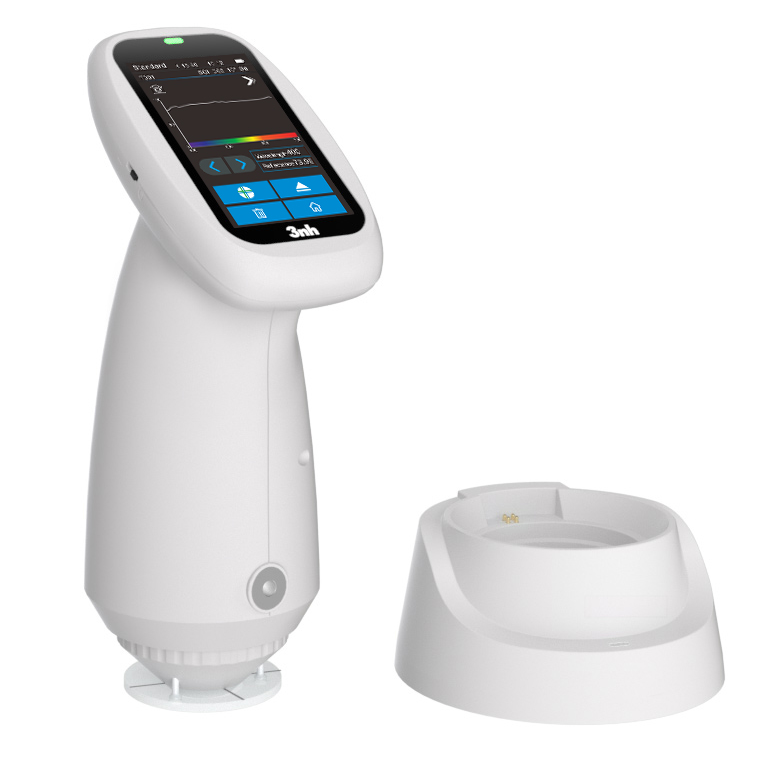
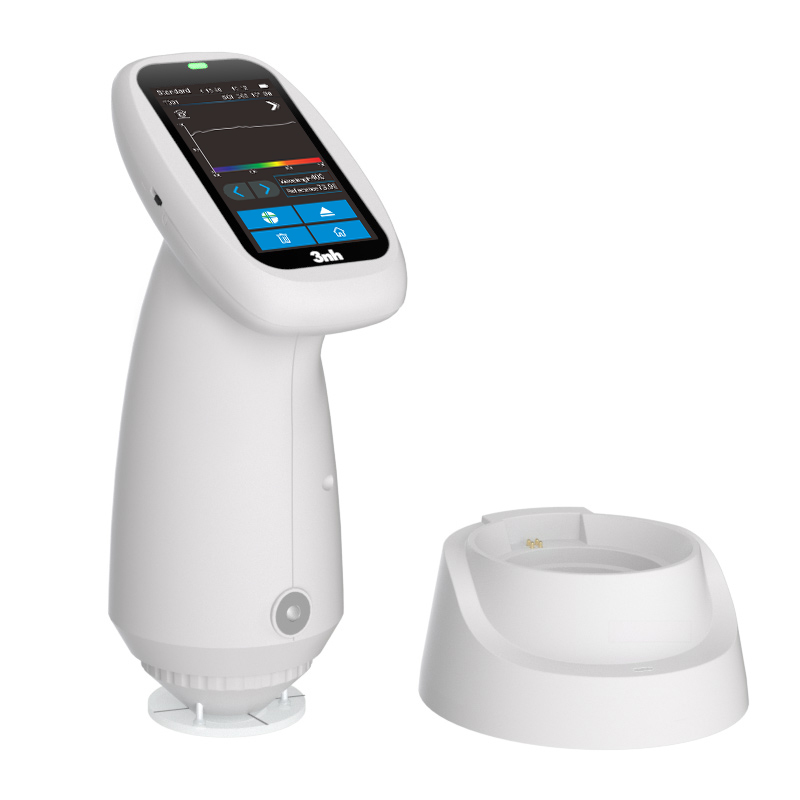
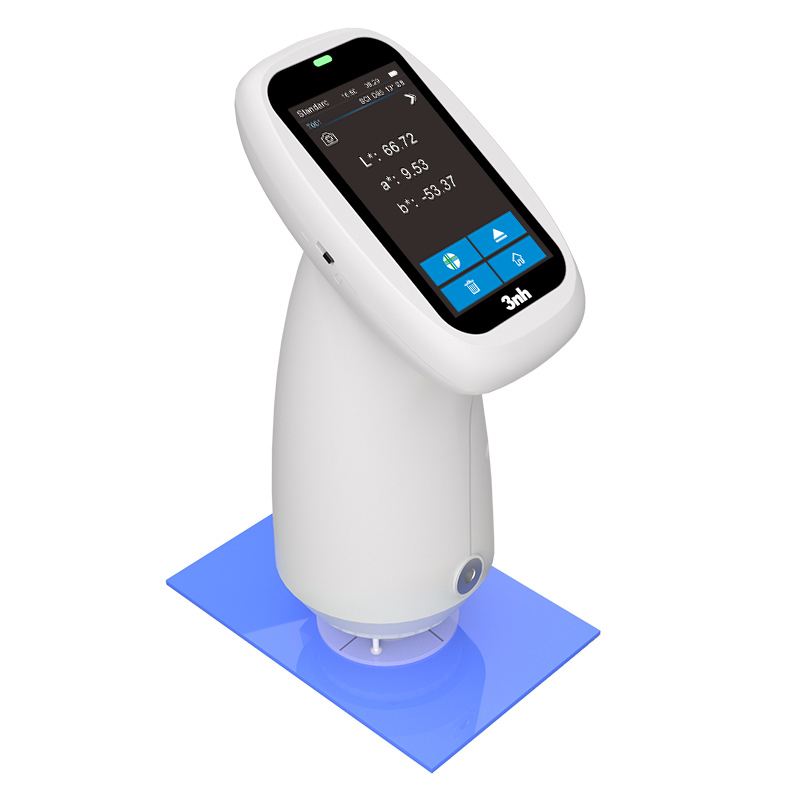
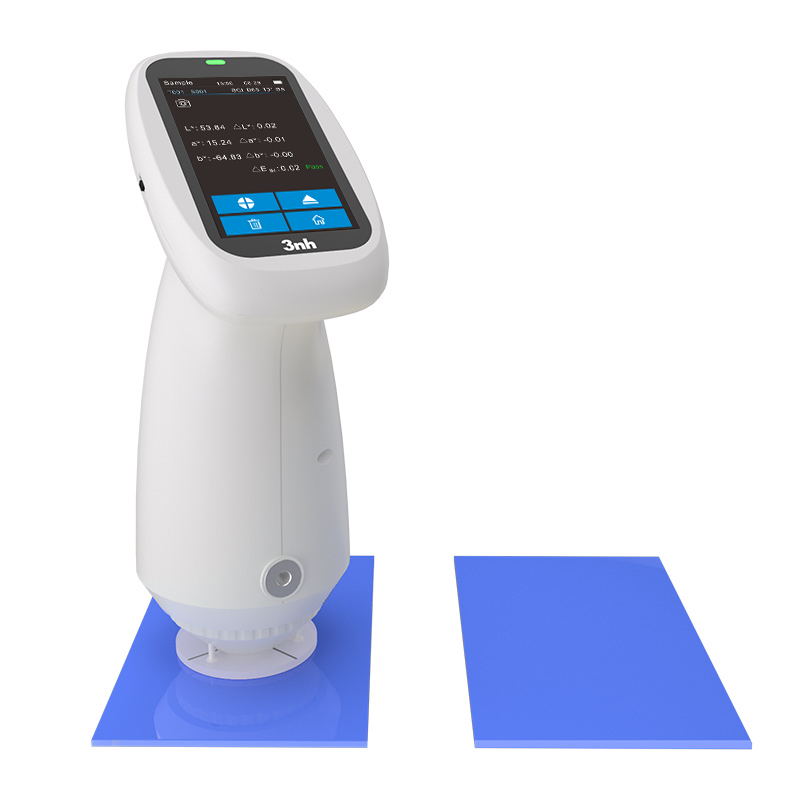
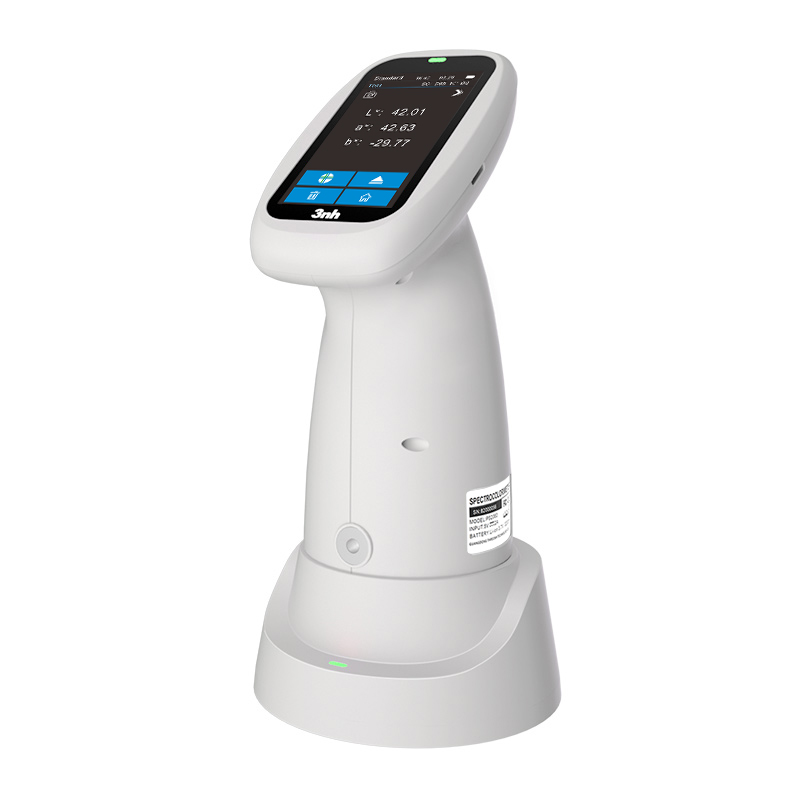
As a popular model in the domestic PS series spectrophotometers, the PS230 integrates professional performance and user-friendly experience. It is a reliable partner for strict color quality control and is widely trusted by users.
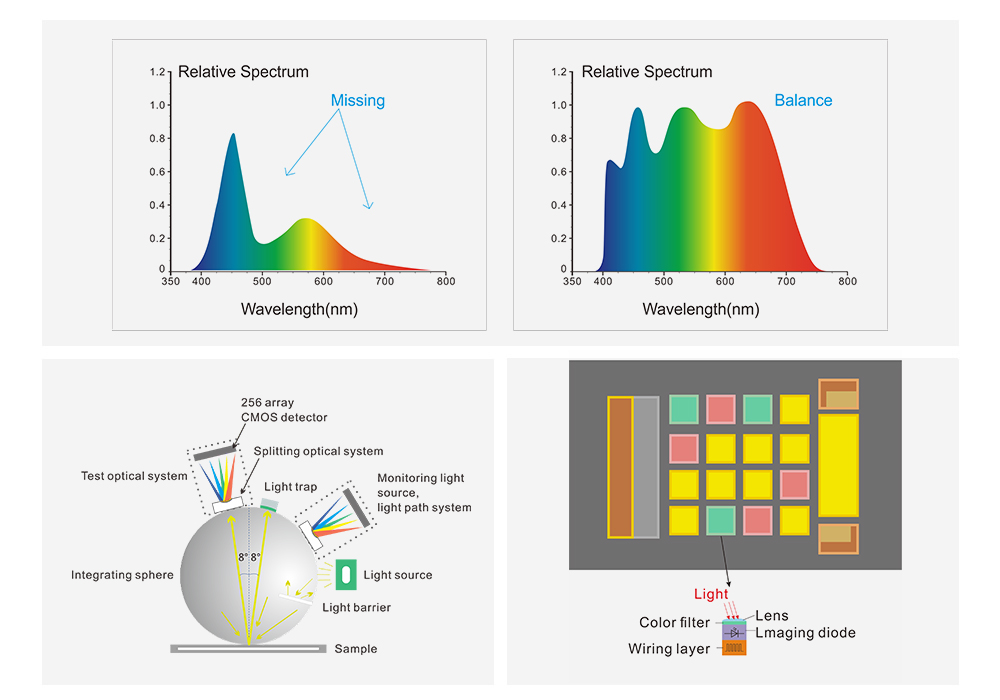
The PS230 spectrophotometer is equipped with a silicon photodiode array sensor (dual-row, 16 groups). Adopting the integrating sphere D/8 structure and dual optical path design—features exclusive to spectrophotometers—it delivers simple operation, low inter-instrument agreement, high stability, and highly repeatable and accurate measurement data.It features a sleek, rounded design and comfortable grip.
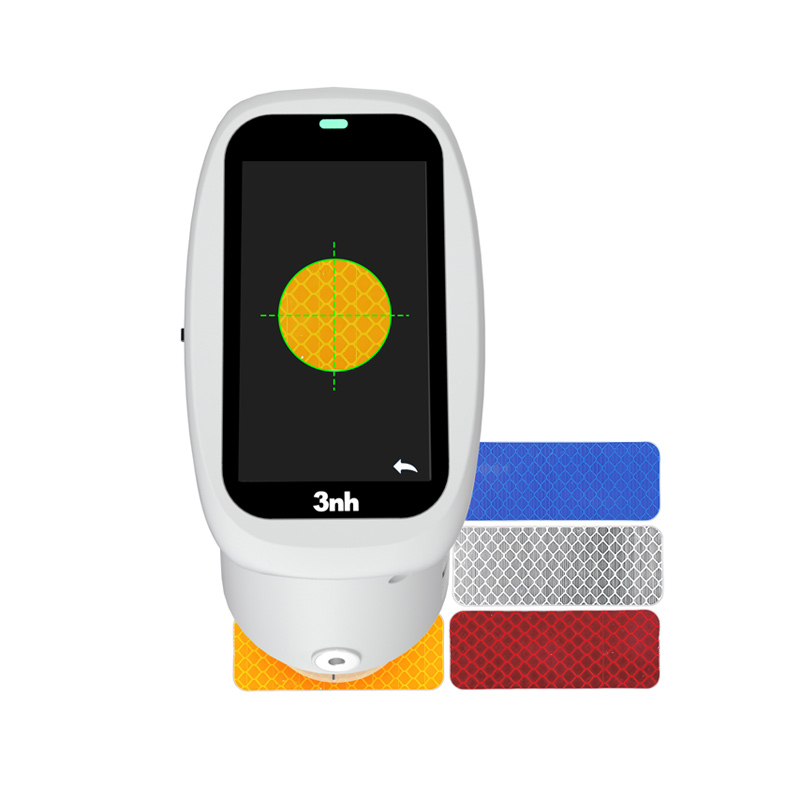
A built-in HD camera allows clear observation of the measured area. The instrument is equipped with a UV light source and full-band balanced LED light source with a wavelength range of 400-700 nm, specially designed for color and reflectance measurement of fluorescent materials.
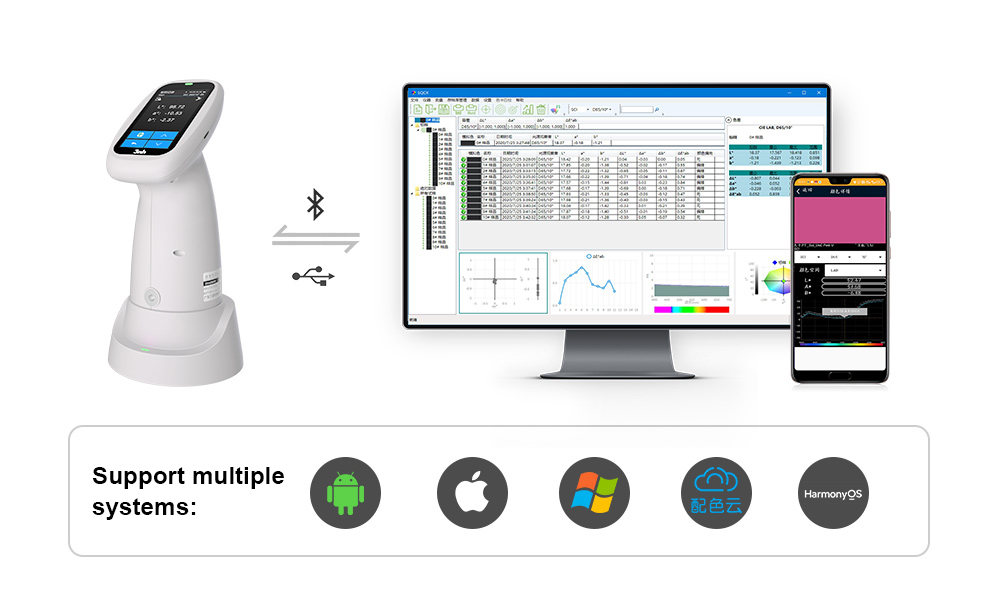
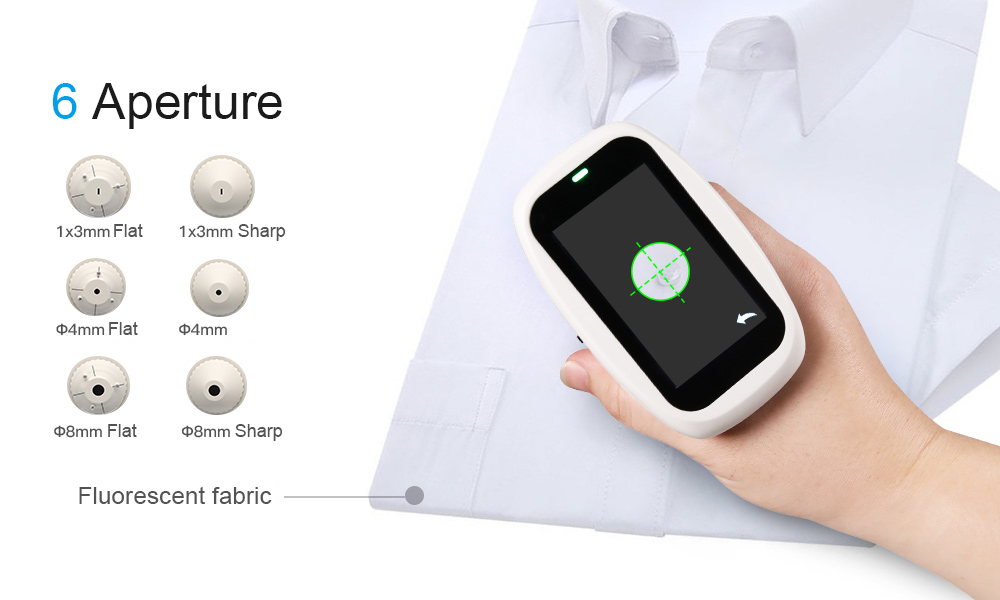
The PS230 provides six measurement apertures:Φ8 mm (flat + small tip), Φ4 mm (flat + small tip), and 1×3 mm (flat + small tip), making it ideal for color difference testing of small-sized samples.It is widely used in plastics & electronics, paint & ink, and many other industries.The instrument supports connection with computers and mobile devices. Its professional quality management software is compatible with Android, iOS, Windows, HarmonyOS, WeChat Mini Program, and Cloud Color Matching services, enabling efficient and convenient quality monitoring and data management anytime, anywhere.
Product Features
Core Performance
Illumination/Viewing Geometry: Internationally accepted D/8 geometry, supporting SCI (Specular Component Included) mode. Complies with CIE No.15, GB/T 3978, and other international and domestic standards, ensuring authoritative and universal measurement results.
Dual Optical Path Design: Built with silicon photodiode array (dual-row, 16 groups) sensor and Φ40 mm integrating sphere, improving data processing efficiency and accuracy.
Full band LED Light Source (with UV): 400-700 nm full-spectrum acquisition with uniform spectral distribution in the visible range, avoiding spectrum gaps common in ordinary white LEDs. Equipped with a dedicated UV light source, specially designed for fluorescent materials.
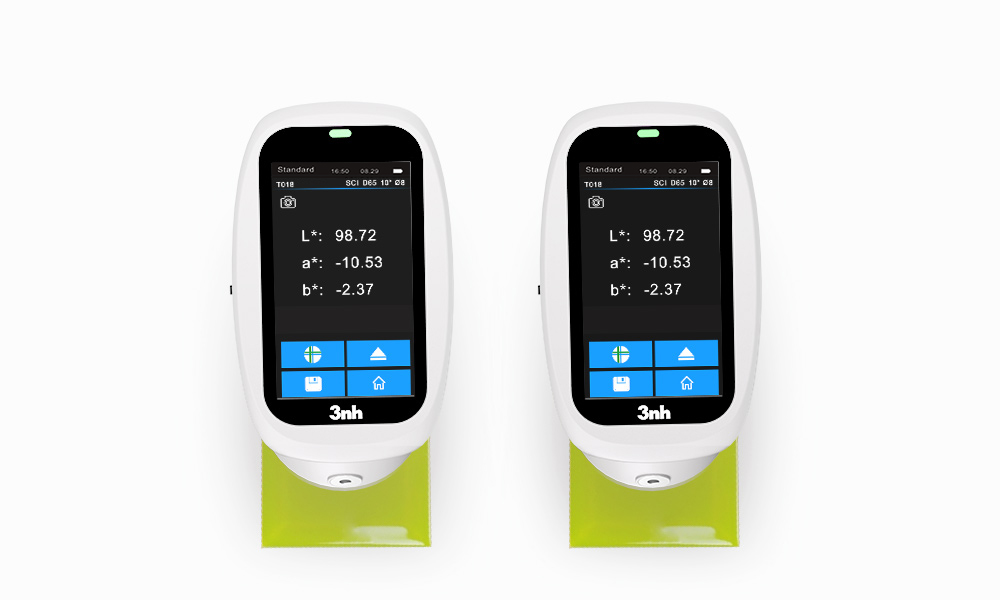
Repeatability: Standard deviation of chromaticity value ΔE*ab ≤ 0.02, ensuring high consistency.
Inter-instrument Agreement: ΔE*ab ≤ 0.2, ensuring excellent consistency among multiple instruments for unified quality control.
Human Machine Interaction: 2.8-inch TFT true-color capacitive touch screen, supporting one-key measurement. The interface clearly displays spectral graph, color values, color difference, pass/fail judgment, color simulation, and color tendency, simplifying operation.
Multi-device Collaboration: Supports USB and Bluetooth 5.0 connection to PC, mobile phones (Android, iOS, HarmonyOS), and WeChat Mini Program (Cloud Color Matching).With professional quality management software, it realizes real-time data synchronization, report generation, and cloud storage (200 standards, 10,000 samples on APP/PC), supporting remote collaboration and mobile office.
Function Highlights
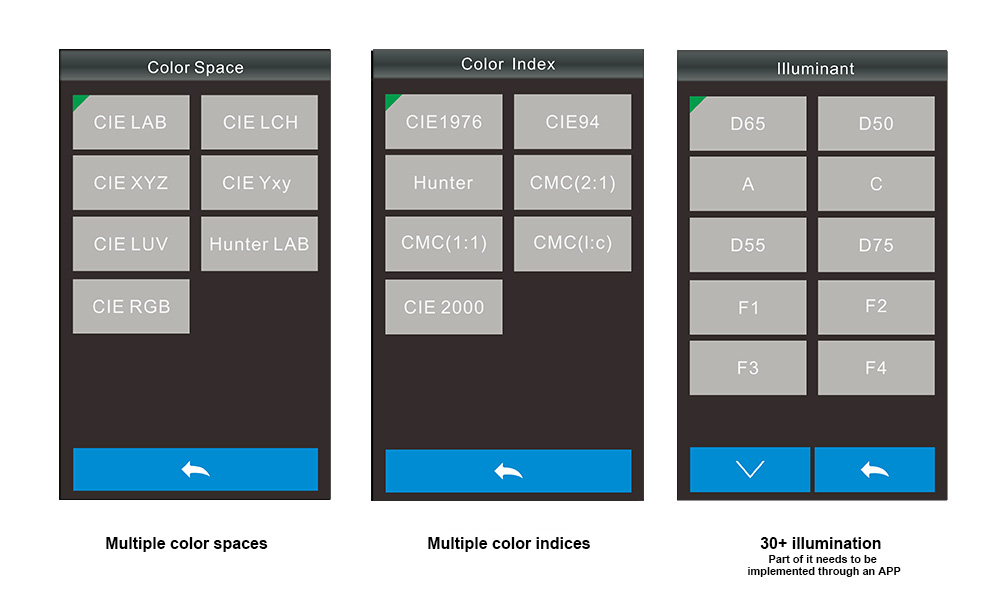
Color Spaces & Formulas: Supports CIE LAB, XYZ, HunterLab, etc., and major color difference formulas ΔEab, ΔEcmc, ΔE*00.Measures spectral reflectance, whiteness (WI), yellowness (YI), metamerism index Mt, staining/color fastness, and more. Some functions (Munsell, CMYK) are available via mobile APP.
Observation Light Sources: Built-in 30+ light sources including D65, A, C, D50 (including UV), fully meeting fluorescent material testing.
Technical Specifications
Spectrophotometer | |
Model | PS230 |
Illumination | D/8 (Diffuse / 8°), SCI, complying with CIE No.15, GB/T 3978, GB 2893, GB/T 18833, ISO7724-1, ASTM E1164, DIN5033 Teil7 |
Features | Color quality control for plastics, paint, textile, printing, ceramics; UV for fluorescent materials |
Light Source | Combined full-spectrum LED + UV light source |
Integrating Sphere | Φ40mm |
Spectroscopy | Nano-integrated spectral device |
Sensor | Silicon photodiode array (dual-row, 16 groups) |
Wavelength Range | 400-700nm |
Measuring Apertures |
MAV: Φ8 mm / Φ10 mm (flat + tip) |
Light Component | SCI |
Color Spaces | CIE LAB,XYZ,Yxy,LCh,CIE LUV,s-RGB,HunterLab,βxy,DIN Lab99 |
Color Difference Formulas | ΔE*ab,ΔE*uv, ΔE*94,ΔE*cmc(2:1) ,ΔE*cmc(1:1),ΔE*00, DINΔE99,ΔE(Hunter) |
Other Indices | Spectral Reflectance, WI (ASTM E313, CIE/ISO, AATCC, Hunter), YI (ASTM D1925, ASTM 313), Metamerism Index Mt, Staining Fastness, Discoloration Fastness, Strength, Coverage, 555 Tone Classification, Munsell (C/2) (Realized by Mobile App), CMYK |
Observer | 2°/10° |
Light Sources | D65,A,C,D50,D55,D75, F1,F2(CWF),F3,F4,F5,F6, F7(DLF),F8,F9,F10(TPL5), F11(TL84),F12(TL83/U30), U35,NBF,ID50,ID65, LED-1,LED-2,LED-3,LED-4,LED-5 ,LED-6,LED-7,LED-8,LED-9,LED-10(Partially achieved through mobile phone apps) |
Display | Spectrum, color data, ΔE, pass/fail, color simulation, color tendency |
Measuring Time | Approx. 1 s |
Repeatability | ΔE*ab ≤ 0.02; Reflectance SD ≤ 0.08% (400-700 nm ≤ 0.18%) |
Inter-Instrument Agreement | ΔE*ab ≤ 0.2 (BCRA Series II 12 tiles) |
Display Precision | 0.01 |
Reflectance Range | 0-200% |
Reflectance Resolution | 0.01% |
Measuring Mode | Single, Average (2-99 times) |
Positioning | Stabilizer + Camera positioning |
Calibration | Contact white calibration |
Dimensions | 94 × 68 × 188 mm (excl. base) |
Weight | 410 g (excl. base) |
Battery | 3.7 V 3200 mAh Li-ion, up to 8000 measurements in 8 hours |
Light Source Life | >1.2 million measurements in 10 years |
Screen | 2.8-inch TFT capacitive touch |
Interface | USB, Bluetooth® 5.0 |
Storage | 200 standards, 10,000 samples; cloud storage via APP/PC |
Software | Android, iOS, Windows, WeChat Mini Program, HarmonyOS |
Language | Chinese(Simplified/Traditional), English |
Operating Environment | 0-40°C, 0-85%RH (non-condensing), altitude<2000 m |
Storage Environment | -20-50°C, 0-85%RH (non-condensing) |
Standard Accessories | Power adapter, USB cable, manual, QC software, white calibration box, protective cover, wrist strap, apertures |
Optional Accessories | Mini printer, powder test kit |
Note | Specifications are for reference only, subject to the actual product |
Applications
The PS230 spectrophotometer is widely used for color quality control in plastics & electronics, paint & ink, textiles & garments, printing, ceramics, and more.With UV function, it is especially suitable for fluorescent sample measurement.
1. When I received NH310/NH300 colorimeter and perform measurement, why the measured data is abnormal?
After receiving NH310/NH300, you have to perform white and black calibration manually when first starting.
2. In which condition, manual white and black calibration and auto calibration are required for NH310?
a. It’s needed to perform manual calibration for NH310 when first starting.
b. In the subsequent starting, NH310 will perform auto calibration at startup. No need to perform manual calibration.
c. Suggestion: it’s best to perform manual calibration once a week or when NH310 measured data is not accurate.
3. In which condition, manual white and black calibration for NH300 is required?
a. It’s needed to perform manual calibration for NH300 when first starting.
b. In the subsequent starting, no need to perform manual calibration.
c. Suggestion: it’s best to perform manual calibration once a week or when NH300 measured data is not accurate.
4. How to replace NH310 measuring aperture?
There are three measuring apertures for NH310: Φ8mm (standard accessory), Φ4mm (standard accessory), extended Φ8mm (optional accessory)
a. Turning on
b. Removing measuring aperture, install the needed measuring aperture.
c. Select “Settings-Aperture Setting” in main menu to select corresponding measuring aperture.
d. After selecting aperture, the instrument will display “White and Black Calibration” interface. White and black calibration must be performed.
e. Replace completed.
5. CQCS3 (Color Quality Control System) Installation
a. Before installation, please Copy CQCS3 folder to your computer and don’t remove any files in CQCS3 folder.
b. Double-click the setup.exe to install CQCS3 software.
c. Then double-click Install.bat under the CQCS3\USB_Driver file to install the driver.
d. Detailed installation information please read the "Installing Software" under CQCS3 User manual.doc.
6. How to check communication port?
a. Connect colorimeter to the PC with USB cable.
b. Turn on the colorimeter to enter main menu. Select “Comm” and press “Enter” key to start communication.
c. Right click on “My Computer” on the desktop. Click “Manage” -> “Device Manager” -> “Ports”, you can see similar display as “SCI USB2Serial (COM6)”.
d. Click “Settings->Communication Parameters” in CQCS3 software interface. Select the corresponding port in “Serial Port”.
7. After completing CQCS3 installation, how to solve the problem if it display “! USB Device” or “! SCI USB2Serial (COM6)” when checking the communication port?
a. Right click “! USB Device” or “! SCI USB2Serial (COM6)”, “Update Driver” -> “Install from a list or specific location (Advanced)” -> “Next” ->“Include this location in the search” -> “Browse”, specify USB driver file path “CQCS3\USB_Driver”, click “Next”. Then it will install successfully.
b.Detailed installation information please refers to “2.2 Installing USB Driver” in Color Quality Management System User Manual.doc.
8. Notes for First Using CQCS3 Software
a. Users must specify Standard File Name, Sample File Name and Sample Database File Name when first use.
b.Standard File is use to store standard measurement data. Sample File is used to store sample measurement data. Sample Database File is used to store the measured data exported from sample records.
9. How to solve the problem when “Connection Timeout” occurred?
a. When the colorimeter is disconnected to the PC, “Connection Timeout” will occur. At the moment, you have to check whether the USB cable is well connected the colorimeter and the PC. Then you can re-plug the USB to try out.
b. After ensuring the colorimeter is connected to the PC with USB cable, turn on the colorimeter and enter the main menu. Select “Comm” and press “Enter” key to start communication.
c. Turn off CQCS3 software, and reopen it.
10. How to solve the problem when the interface display "USB Disconnect"
a. Check whether the USB cable is connected. If not, please connect it. Check whether the connection is effective. You can re-plug the USB cable to test.
b. If the USB cable is connected well but the interface still displays "USB Disconnect", please re-start the colorimeter and enter "Menu" -"Comm"to start the communication.
c. Change the USB cable or change the USB port in you PC.
11. How to solve the problem when the colorimeter cannot be turned on in the condition of battery-powered?
a. If this phenomenon occurred, it means the battery power is not enough. You need to charge the battery.
b. When charge the battery, please insert the battery to the instrument, and plug in the adapter to charge the battery. After 5 minutes, the instrument can be turned on.
c. If the instrument still cannot be turned on after charging 5 minutes, you can pull out the adapter and re-plug in to check it. Or repeat this operation.
d. If the instrument still cannot be turned on after charging 5 minutes, you can turn off the colorimeter and turn on it again to check it. Or repeat this operation.
e. If you have tried all the methods above but the colorimeter still cannot be turned on, please change the battery.
