
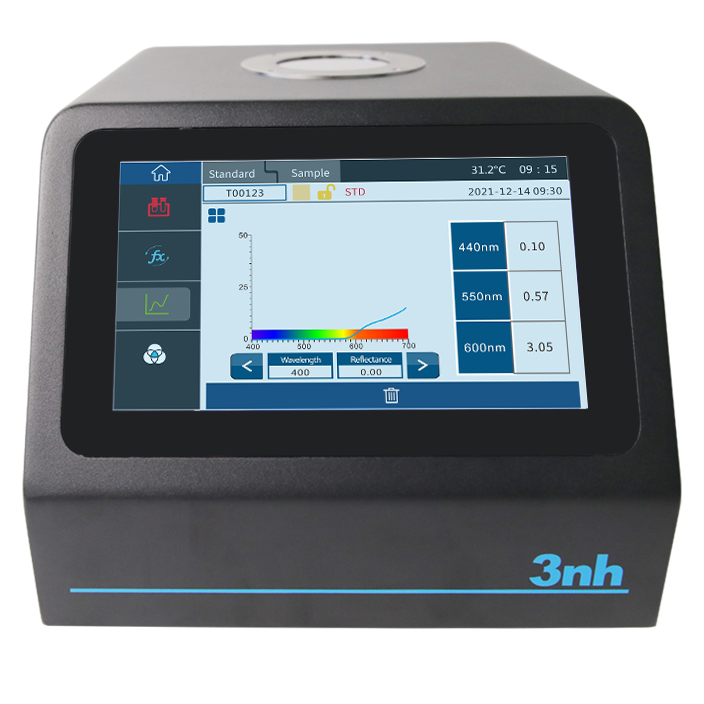
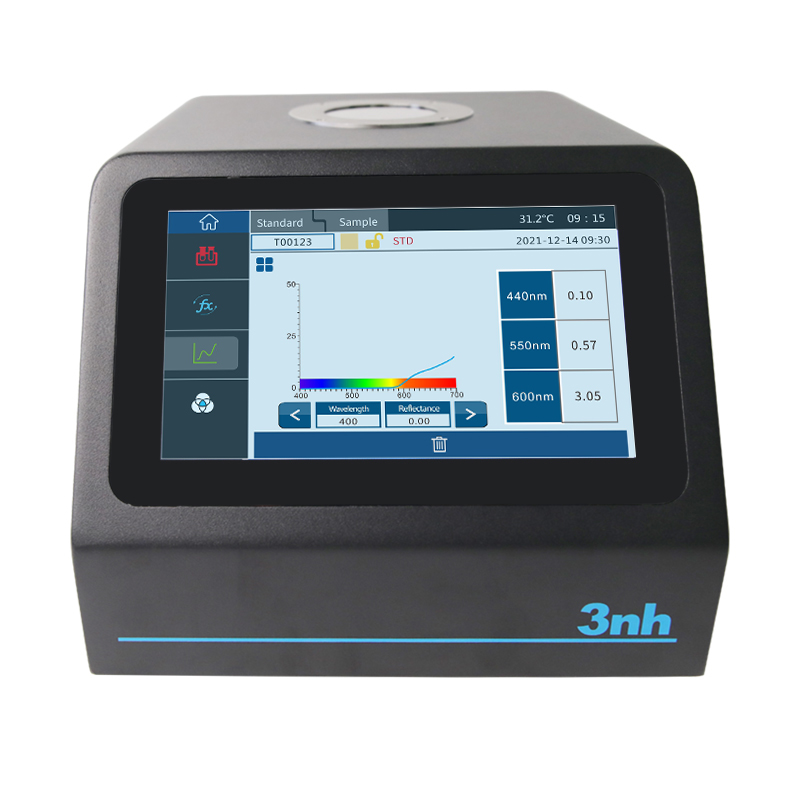
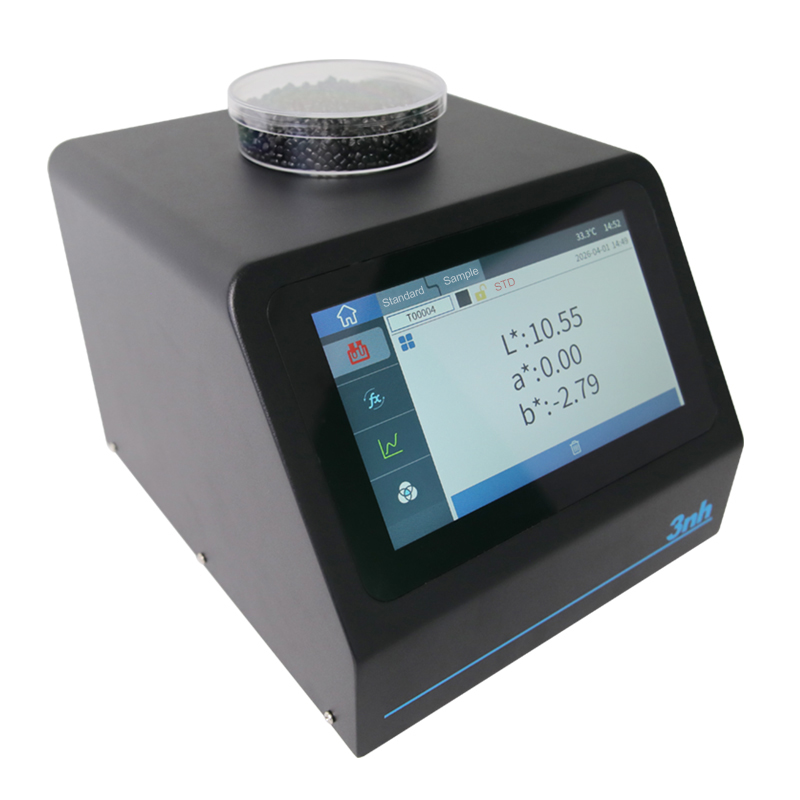
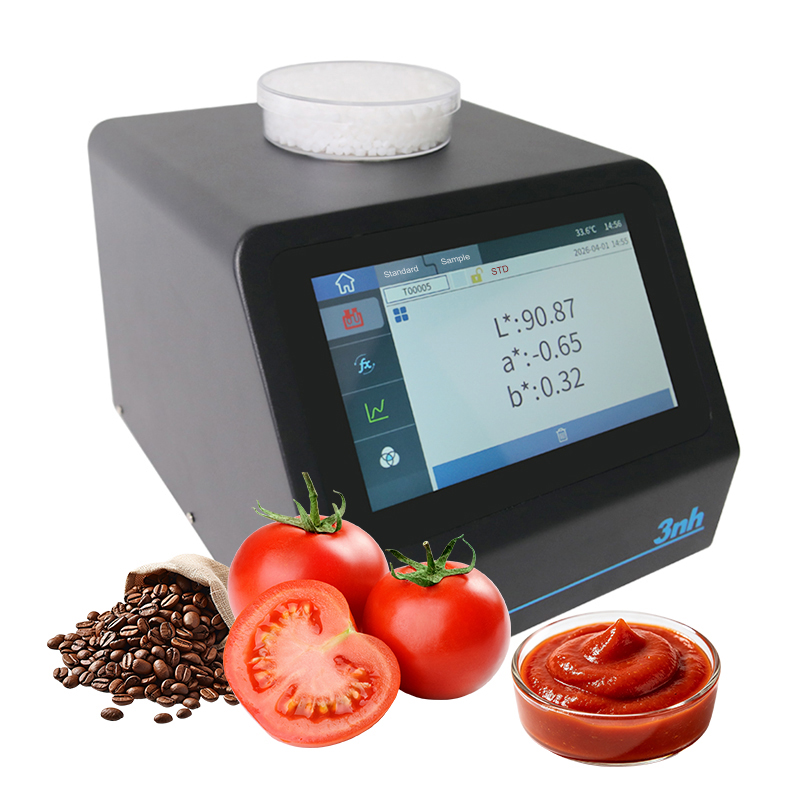
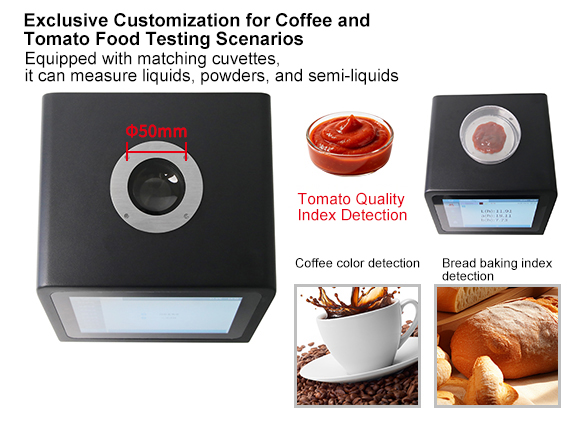
1.Coffee Color Index Testing: Built-in SCAA, HCCI, and coffee roast degree indicators, enabling precise quantification of color changes throughout the roasting process from light to dark roast, providing standardized data support for coffee roasting quality control and batch consistency management.
2.Bread Baking Index Testing: Supports BCU (Bread Color Unit), suitable for quantitative evaluation of bread crust color and baking degree, helping the baking industry achieve product color standardization and process optimization.
3.Tomato Quality Index Testing: In addition to conventional color spaces and color difference calculations, the instrument features built-in tomato-specific chromaticity indices, directly outputting core parameters including tomato a/b ratio, fresh tomato color index (FTCI), TPS, TSS, TCS, TJS, and lycopene index, providing a one-stop solution for quality grading and inspection needs throughout tomato cultivation, harvesting, processing, and laboratory R&D.
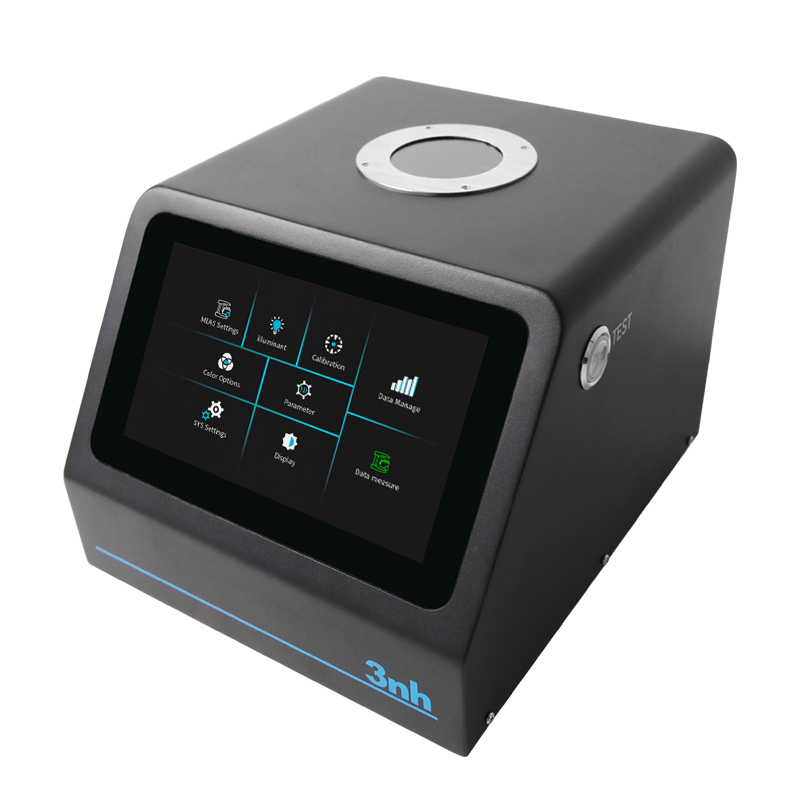
4.Industrial-Grade Large Aperture Design: Equipped with a 50 mm measurement aperture, adaptable to different sample types including coffee beans, tomato fruit bodies, tomato paste, tomato juice, and bread surfaces, significantly reducing measurement errors caused by sample non-uniformity and ensuring data stability and representativeness.
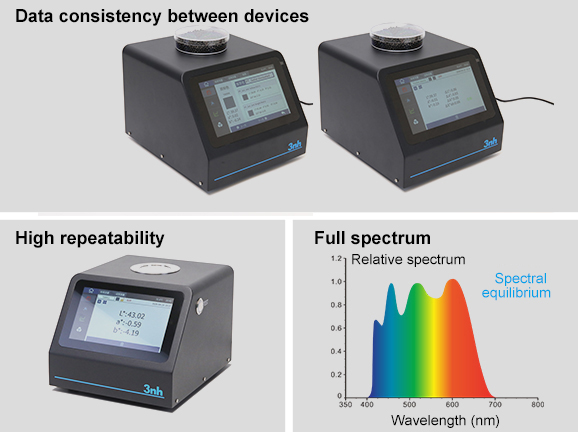
1.High Repeatability: After warm-up and calibration, with 30 consecutive measurements on a standard white plate at 5-second intervals, the chromaticity value repeatability ΔE*ab is within 0.03; spectral reflectance standard deviation within 0.07% (within 0.2% for 400-700 nm band), suitable for laboratory high-precision analysis and subtle color difference identification scenarios.
2.Inter-Instrument Agreement: ΔE*ab within 0.35 (average of measurements on 12 BCRA Series II standard color tiles), ensuring consistent color data transfer and benchmarking across multiple instruments, laboratories, and production sites, enabling standardized cross-regional quality control.
3.Full-Band Accurate Acquisition: Measurement wavelength range covering 400-700 nm across the full visible spectrum, wavelength interval 10 nm, half-bandwidth 10 nm, reflectance measurement range 0-200%, achieving comprehensive and precise capture of sample spectral information.
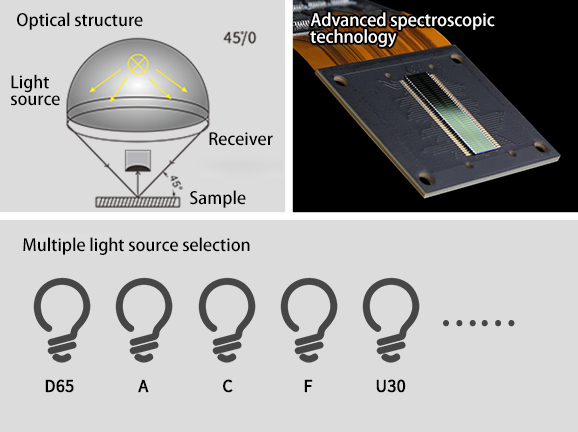
1.Standard 45/0 Optical Geometry: Adopting 45° annular uniform illumination and 0° reception optical design, fully matching human visual characteristics, effectively eliminating the impact of sample surface texture and gloss on measurement results, with measurement data highly consistent with visual evaluation, particularly suitable for color detection of food, granular, and textured samples.
2.Advanced Spectrophotometric Technology: Utilizing a nano-integrated spectral device combined with a dual-set 20-group silicon photodiode array, achieving high-speed and high-sensitivity spectral signal acquisition, ensuring high fidelity of measurement results with a measurement time of about 1 second.
3.Selected Observation Light Sources: Built-in D65, A, and C standard light sources, meeting conventional color evaluation requirements in the food industry and ensuring measurement conditions are consistent with international standards.
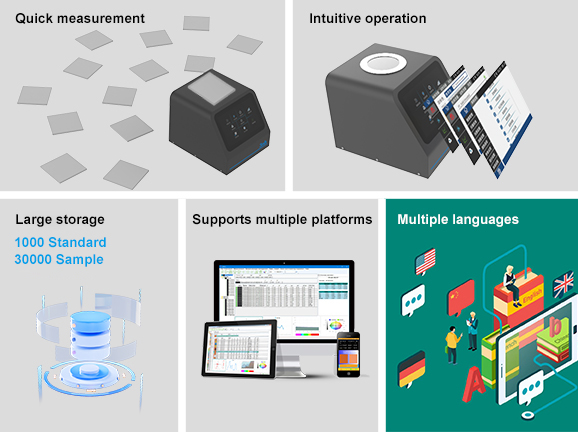
1.Fast Measurement: Single measurement time of about 1 second, supporting single measurement and average measurement modes (2-99 times), enabling rapid sampling and full inspection of large batches, significantly improving production line and laboratory testing efficiency.
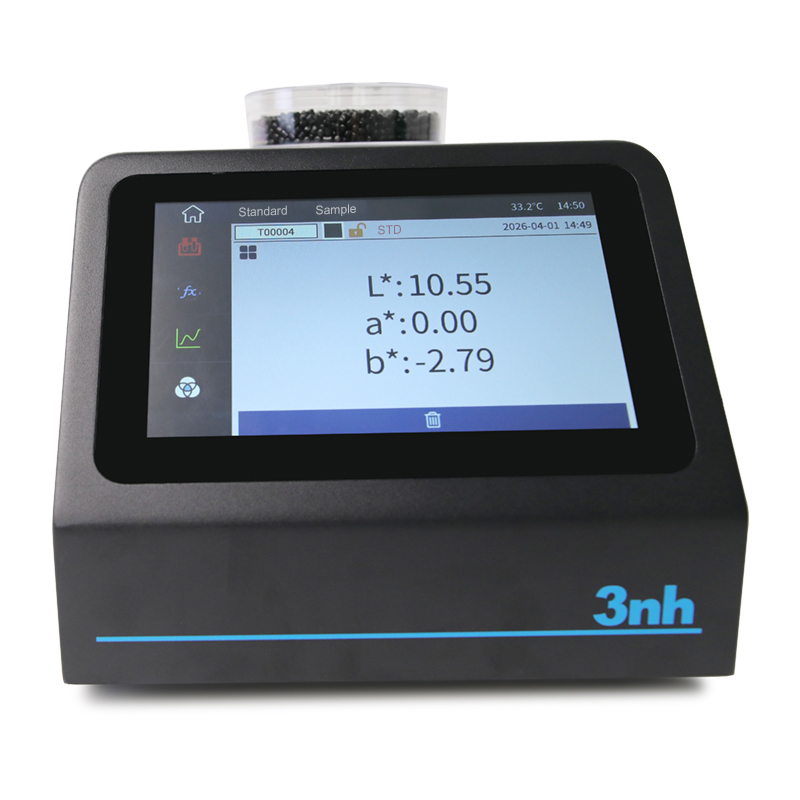
2.Intuitive Visual Operation: Equipped with a 7-inch TFT true-color capacitive touchscreen, capable of directly displaying spectral graphs/data, sample colorimetric values, color difference values/graphs, pass/fail results, and color bias, allowing intuitive interpretation of measurement results without external devices.
3.Large Storage Capacity: Capable of storing 1,000 standard sample data and 30,000 test sample data, fully meeting the inspection data storage and traceability requirements of large-scale industrial production.
4.Cross-Platform Software Compatibility: Comes with professional quality management software (download from the official website), supporting in-depth data analysis, batch management, remote transmission, and report export, facilitating the establishment of a digital color management system.
5.Multi-Language Support: Built-in Simplified Chinese, English, Traditional Chinese, and Russian language systems, adaptable to global application scenarios.
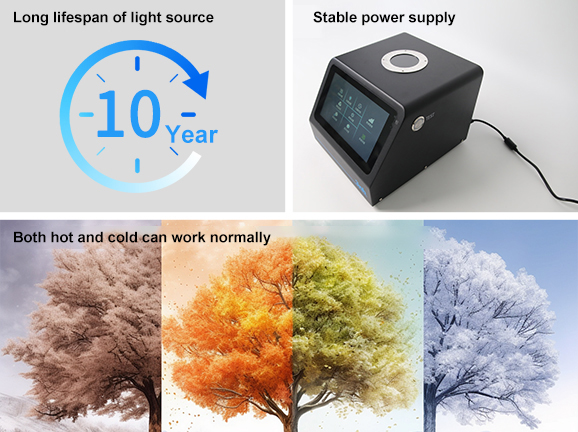
1.Long-Life Light Source: Adopting a combined LED light source with a lifespan of 10 years or more than 2 million measurements, significantly reducing equipment maintenance costs.
2.Broad Environmental Adaptability: Operating temperature range 0-40℃, humidity 0-85%RH (non-condensing), suitable for altitudes below 2,000 m covering the vast majority of production and inspection scenarios. Storage temperature range -20-50℃, ensuring safe storage of the instrument during non-operating conditions.
3.Stable Power Supply: Powered by a 24 V DC, 3 A power adapter, ensuring stability during long-term continuous operation, suitable for fixed installation in laboratories and production lines.
Product Model | PS808CT |
Product Name | Coffee and Tomato Spectrophotometer |
Optical Geometry |
45/0 (45° annular uniform illumination, 0° reception); |
Characteristic |
A Coffee and Tomato Spectrophotometer featuring 45/0 optical geometry with a 50 mm large aperture. |
Light Source | Combined LED light source |
Integrating Sphere Size | |
Light-Containing Method | |
Spectrophotometric Method | Nano-integrated spectral device |
Sensor | Silicon photodiode array (dual-array, 20 groups) |
Measurement Wavelength Range | 400-700 nm |
Wavelength Interval | 10 nm |
Half-Bandwidth | 10 nm |
Reflectance Measurement Range | 0-200% |
Measurement Aperture | Φ50 mm |
Observation Light Sources | D65, A, C |
Observer Angle | 2°/10° |
Color Spaces | CIE LAB, XYZ, Yxy, LCh |
Color Difference Formulas | ΔE*ab, ΔE*94, ΔE*cmc, ΔE*00 |
Other Chromaticity Indices | SCAA, HCCI, coffee roast degree, BCU, tomato a/b ratio, fresh tomato color index (FTCI), TPS, TSS, TCS, TJS, Lycopene |
Repeatability |
Spectral reflectance: standard deviation ≤ 0.1% (400-700 nm: ≤ 0.2%); |
Inter-Instrument Agreement | ΔE*ab ≤ 0.35 (average of measurements on 12 BCRA Series II color tiles) |
Display | Spectral graph/data, sample colorimetric values, color difference values/graph, pass/fail results, color bias |
Measurement Time | Approximately 1 s |
Measurement Mode | Single measurement, average measurement (2-99 times) |
Dimensions | 210*245*188 mm |
Weight | 3.1 kg |
Power Supply | 24 V DC, 3 A power adapter |
Light Source Lifespan | 10 years or more than 2 million measurements |
Display Screen | TFT true-color 7-inch capacitive touchscreen |
Interface | USB, Bluetooth |
Storage | 1,000 standard samples, 30,000 test samples |
Language | Simplified Chinese, English, Traditional Chinese, Russian |
Operating Temperature Range | 0-40℃, 0-85%RH (non-condensing), altitude below 2,000 m |
Storage Temperature Range | -20-50℃, 0-85%RH (non-condensing) |
Standard Accessories | Power adapter, data cable, user manual, quality management software (download from official website), white plate, Petri dishes x2 |
Optional Accessories | Micro printer |
Note: | Technical parameters are for reference only; subject to the actual product sold. Subject to change without prior notice. |
1. When I received NH310/NH300 colorimeter and perform measurement, why the measured data is abnormal?
After receiving NH310/NH300, you have to perform white and black calibration manually when first starting.
2. In which condition, manual white and black calibration and auto calibration are required for NH310?
a. It’s needed to perform manual calibration for NH310 when first starting.
b. In the subsequent starting, NH310 will perform auto calibration at startup. No need to perform manual calibration.
c. Suggestion: it’s best to perform manual calibration once a week or when NH310 measured data is not accurate.
3. In which condition, manual white and black calibration for NH300 is required?
a. It’s needed to perform manual calibration for NH300 when first starting.
b. In the subsequent starting, no need to perform manual calibration.
c. Suggestion: it’s best to perform manual calibration once a week or when NH300 measured data is not accurate.
4. How to replace NH310 measuring aperture?
There are three measuring apertures for NH310: Φ8mm (standard accessory), Φ4mm (standard accessory), extended Φ8mm (optional accessory)
a. Turning on
b. Removing measuring aperture, install the needed measuring aperture.
c. Select “Settings-Aperture Setting” in main menu to select corresponding measuring aperture.
d. After selecting aperture, the instrument will display “White and Black Calibration” interface. White and black calibration must be performed.
e. Replace completed.
5. CQCS3 (Color Quality Control System) Installation
a. Before installation, please Copy CQCS3 folder to your computer and don’t remove any files in CQCS3 folder.
b. Double-click the setup.exe to install CQCS3 software.
c. Then double-click Install.bat under the CQCS3\USB_Driver file to install the driver.
d. Detailed installation information please read the "Installing Software" under CQCS3 User manual.doc.
6. How to check communication port?
a. Connect colorimeter to the PC with USB cable.
b. Turn on the colorimeter to enter main menu. Select “Comm” and press “Enter” key to start communication.
c. Right click on “My Computer” on the desktop. Click “Manage” -> “Device Manager” -> “Ports”, you can see similar display as “SCI USB2Serial (COM6)”.
d. Click “Settings->Communication Parameters” in CQCS3 software interface. Select the corresponding port in “Serial Port”.
7. After completing CQCS3 installation, how to solve the problem if it display “! USB Device” or “! SCI USB2Serial (COM6)” when checking the communication port?
a. Right click “! USB Device” or “! SCI USB2Serial (COM6)”, “Update Driver” -> “Install from a list or specific location (Advanced)” -> “Next” ->“Include this location in the search” -> “Browse”, specify USB driver file path “CQCS3\USB_Driver”, click “Next”. Then it will install successfully.
b.Detailed installation information please refers to “2.2 Installing USB Driver” in Color Quality Management System User Manual.doc.
8. Notes for First Using CQCS3 Software
a. Users must specify Standard File Name, Sample File Name and Sample Database File Name when first use.
b.Standard File is use to store standard measurement data. Sample File is used to store sample measurement data. Sample Database File is used to store the measured data exported from sample records.
9. How to solve the problem when “Connection Timeout” occurred?
a. When the colorimeter is disconnected to the PC, “Connection Timeout” will occur. At the moment, you have to check whether the USB cable is well connected the colorimeter and the PC. Then you can re-plug the USB to try out.
b. After ensuring the colorimeter is connected to the PC with USB cable, turn on the colorimeter and enter the main menu. Select “Comm” and press “Enter” key to start communication.
c. Turn off CQCS3 software, and reopen it.
10. How to solve the problem when the interface display "USB Disconnect"
a. Check whether the USB cable is connected. If not, please connect it. Check whether the connection is effective. You can re-plug the USB cable to test.
b. If the USB cable is connected well but the interface still displays "USB Disconnect", please re-start the colorimeter and enter "Menu" -"Comm"to start the communication.
c. Change the USB cable or change the USB port in you PC.
11. How to solve the problem when the colorimeter cannot be turned on in the condition of battery-powered?
a. If this phenomenon occurred, it means the battery power is not enough. You need to charge the battery.
b. When charge the battery, please insert the battery to the instrument, and plug in the adapter to charge the battery. After 5 minutes, the instrument can be turned on.
c. If the instrument still cannot be turned on after charging 5 minutes, you can pull out the adapter and re-plug in to check it. Or repeat this operation.
d. If the instrument still cannot be turned on after charging 5 minutes, you can turn off the colorimeter and turn on it again to check it. Or repeat this operation.
e. If you have tried all the methods above but the colorimeter still cannot be turned on, please change the battery.
