
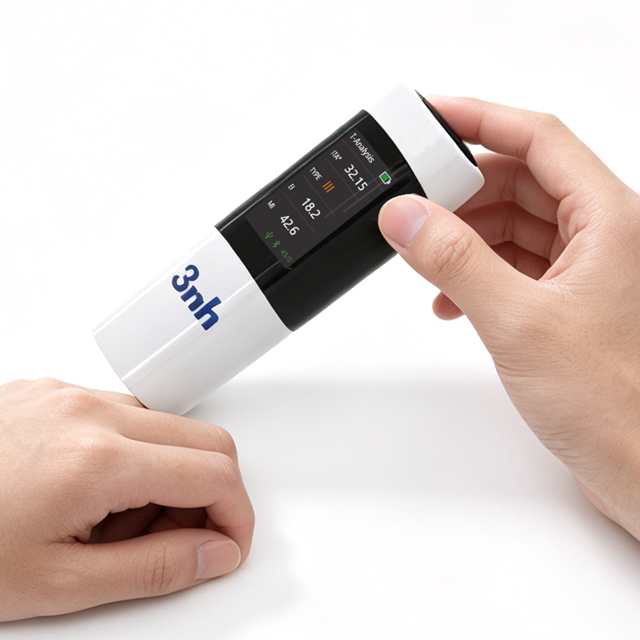
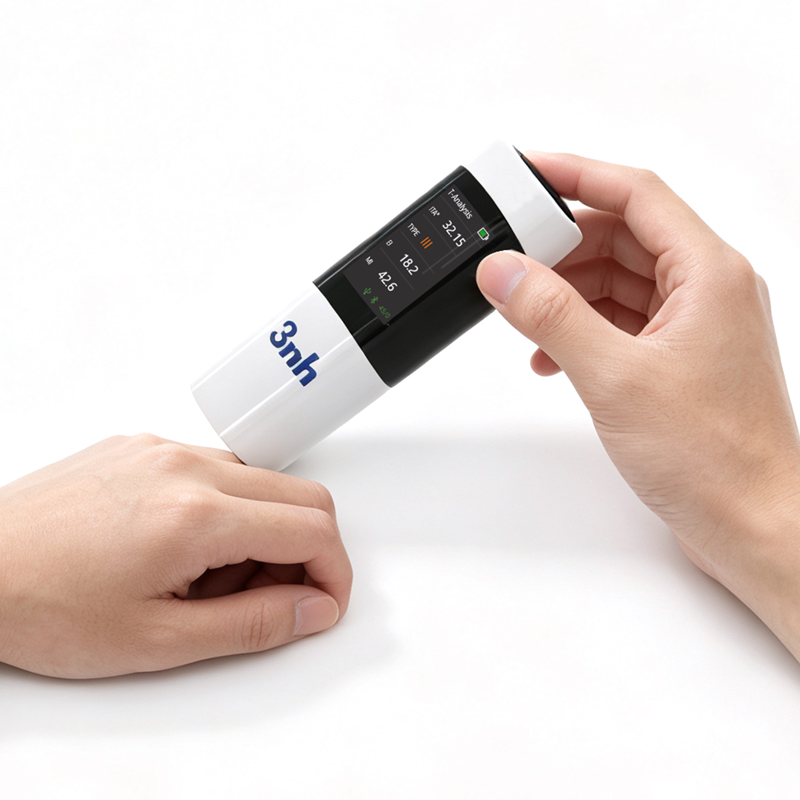
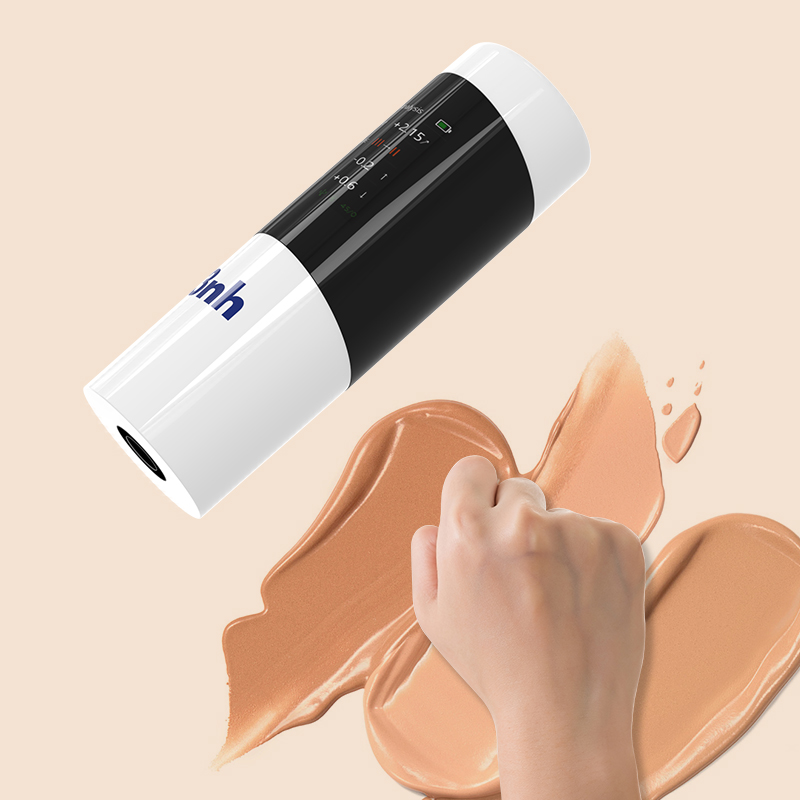
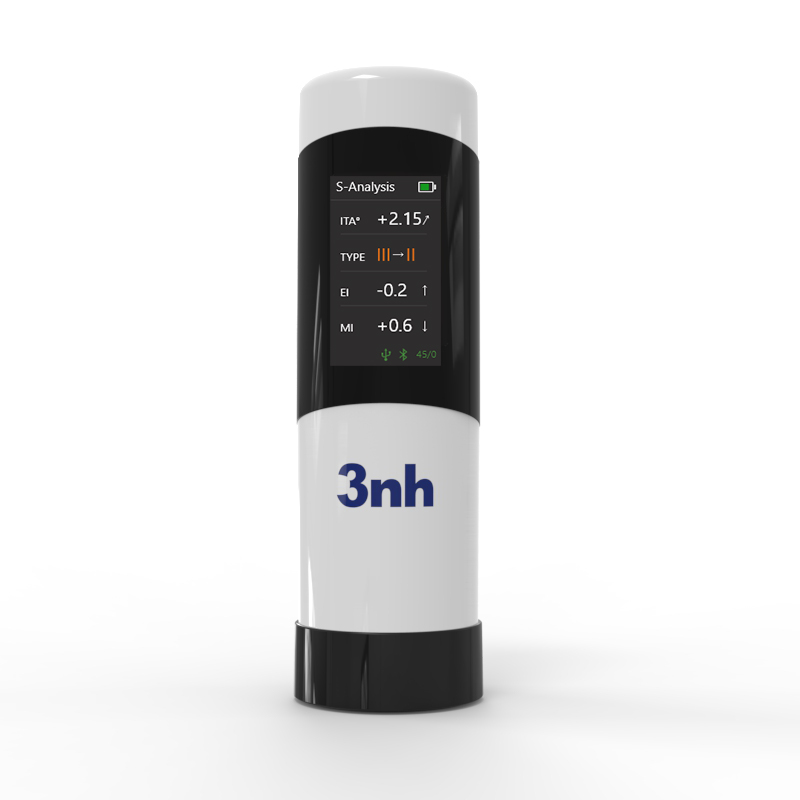
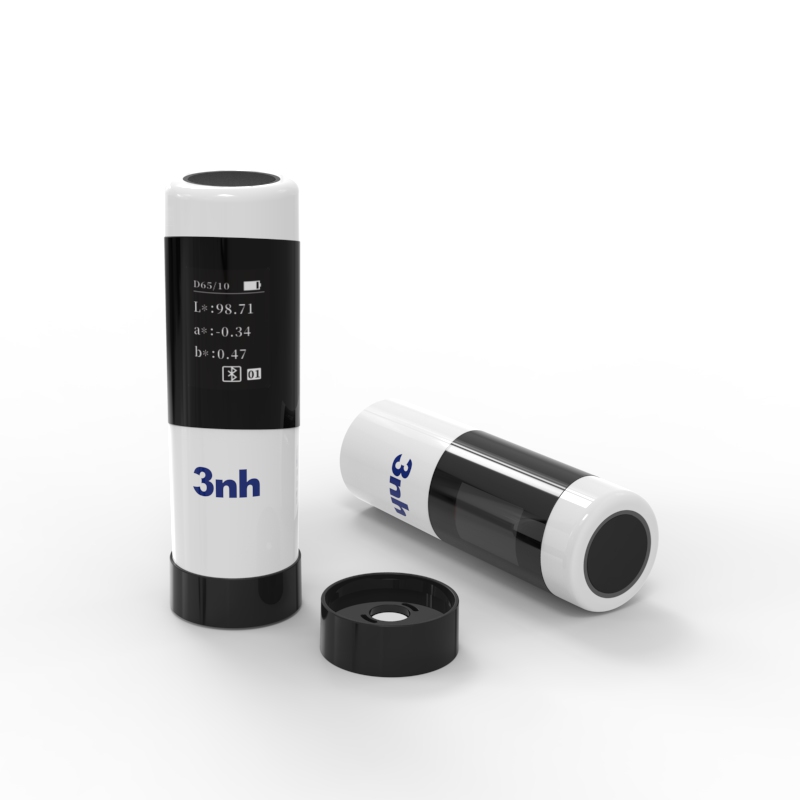
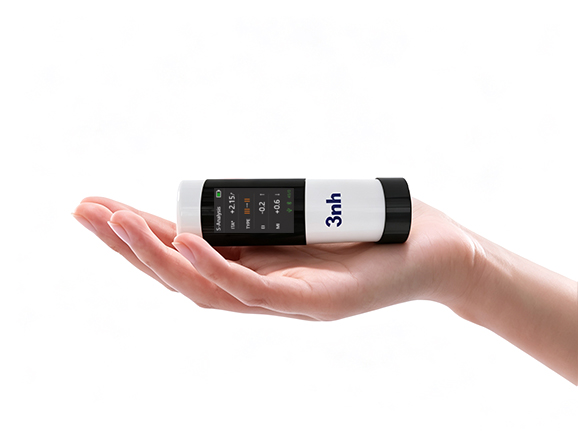
The 3nh PS02 is a flagship portable Skin ColorReader engineered for mobile detection, high-end aesthetic medical services, and skincare efficacy research. Utilizing an international standard 45/0° circumferential uniform optical system paired with nanometer integrated spectroscopic components, it achieves superior repeatability (ΔE*ab ≤ 0.03) and national metrology certification in a lipstick-sized 88g frame. The PS02 excels in turning national metrology-approved color measurement precision into an accessible, pocket-sized device. Delivering high-precision, traceable metrics—Individual Typology Angle (ITA°), Melanin Index (MI), Erythema Index (EI), and CIE LAB—in a 1-second single touch, PS02 bridges mobile convenience with rigorous scientific proof.
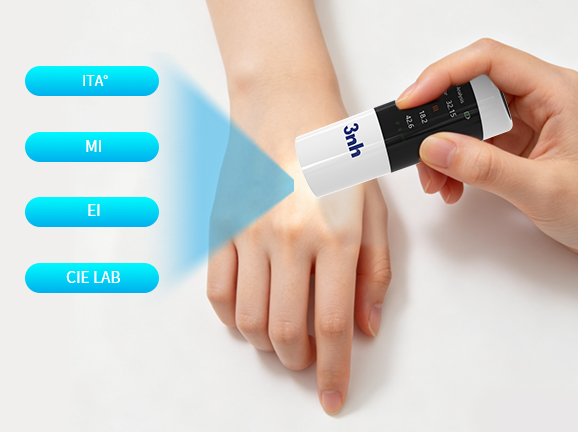
A single 1-second skin contact measurement outputs four vital skin parameters simultaneously:
Individual Typology Angle (ITA°): Higher values indicate lighter skin tones; simplifies precise skin typology categorization.
Melanin Index (MI): Quantifies skin pigmentation level to track whitening treatments and spot reduction.
Erythema Index (EI): Measures redness and inflammation intensity for sensitive skin and soothing care evaluation.
CIE LAB Color Space: International standard color coordinates for precise objective color mapping.
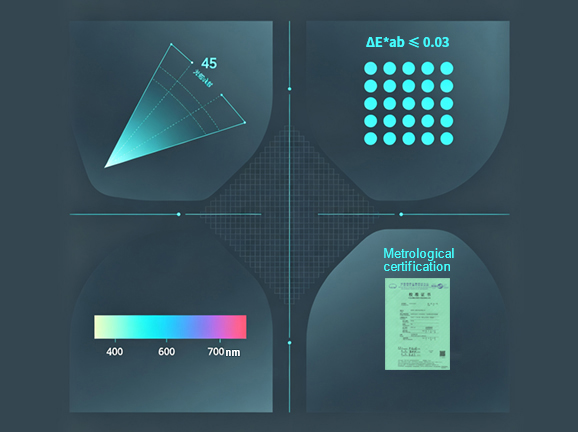
Illumination/Viewing Geometry: 45/0°, compliant with international and national standards including CIE No. 15, GB/T 3978, and ISO 7724-1.
Repeatability: ΔE*ab ≤ 0.03 (after preheat and calibration, based on the average of 30 measurements of the white tile at 5-second intervals).
Wavelength Range: Full coverage from 400 to 700 nm.
National Metrology Certification:Certified by national metrology authorities.
Advanced Spectral Technology: Featuring a nano-integrated spectral device combined with a silicon photodiode array (dual-row, 16-channel configuration), the instrument accurately captures true skin color data and detects even subtle changes in skin tone after the use of brightening products. Replacing subjective visual assessment with precise instrumental measurement, it provides more convincing data for efficacy evaluation and supports product claims with objective measurement results.
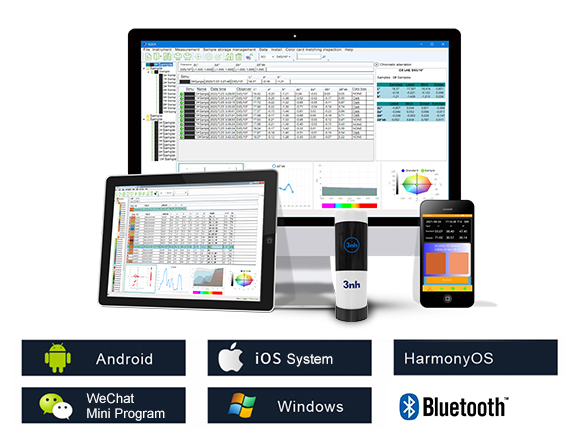
Seamless Bluetooth data syncing across Android, iOS, Windows, WeChat Mini-Programs, and HarmonyOS. Features automatic whiteboard calibration and auto-generated detection reports for zero-learning-curve operation.
Compact lipstick-like dimensions (Ø32×100mm) weighing only 88g. Integrated rechargeable lithium battery supports up to 12,000 continuous measurements on a full charge for hassle-free mobile or door-to-door testing.
Aesthetic Salons & Skincare Studios: Visualize pre- and post-treatment results to enhance client trust.
Skincare Brands & R&D: High-precision metrology-certified data supporting efficacy testing and product filings.
Content Creators & Reviewers: Rapid, multi-dimensional quantitative comparison charts for convincing reviews.
Research & Educational Institutions: Standard-compliant and reproducible data meeting academic research and teaching requirements.

Model | PS02 Skin ColorReader |
Illumination Geometry | 45/0 (45° circumferential uniform illumination, 0° reception); Complies with CIE No.15, GB/T 3978, GB 2893, GB/T 18833, ISO7724-1, ASTM E1164, DIN5033 Teil7 |
Features | Flagship portable skin color measurement; convenient assessment of Individual Typology Angle (ITA°), skin type, Melanin Index (MI), and Erythema Index (EI). Ultra-compact. |
Integrating Sphere Size | / |
Light Source | Full-spectrum LED light source |
Spectrophotometric Mode | Nanometer integrated spectroscopic components |
Sensor | Silicon photodiode array (dual-row 16 groups) |
Wavelength Range | 400–700 nm |
Measuring Aperture | Φ8 mm |
Specular Component | / |
Color Spaces | CIE LAB |
Color Difference Formulas | ΔE*ab |
Other Colorimetric Indices | ITA°, Skin Typology Angle, Erythema Index (EI), Melanin Index (MI) |
Display Resolution | 0.01 |
Observer Angle | 10° |
Illuminant | D65 |
Display Features | Sample colorimetric values, color difference, PASS/FAIL result, color simulation, color bias, reflectance (partially via mobile APP) |
Measurement Time | Approx. 1.0s |
Repeatability | Colorimetric value: ΔE*ab within 0.03 (Average of 30 measurements on white plate at 5s intervals after warm-up & calibration) |
Accuracy Guarantee | Passed National Metrology Compliance |
Measurement Method | Single measurement, Average measurement (2–99 times via mobile APP) |
Locating Method | / |
Dimensions | Ø32X100mm |
Weight | Approx. 88 g |
Battery Capacity | Lithium battery; up to 12,000 continuous measurements on a full charge |
Light Source Lifespan | 5 years or over 3 million measurements |
Display Screen | 1.14-inch IPS full-color screen |
Interfaces | USB, Bluetooth |
Data Storage | Expandable massive storage via mobile APP |
Software Support | Android, iOS, Windows, WeChat Mini-Program, HarmonyOS |
Calibration | Automatic Whiteboard Calibration |
Languages | Simplified Chinese, English |
Operating Environment | 0–40°C, 0–85% RH (non-condensing), Altitude: Below 2000m |
Storage Environment | -20–50°C, 0–85% RH (non-condensing) |
Standard Accessories | Data Cable, User Manual, Calibration Box, Quality Management Software (downloadable), APP (downloadable) |
Optional Accessories | USB Micro Printer, Powder Test Box |
Remarks | Technical specifications are for reference only and subject to actual sales products. |
1. When I received NH310/NH300 colorimeter and perform measurement, why the measured data is abnormal?
After receiving NH310/NH300, you have to perform white and black calibration manually when first starting.
2. In which condition, manual white and black calibration and auto calibration are required for NH310?
a. It’s needed to perform manual calibration for NH310 when first starting.
b. In the subsequent starting, NH310 will perform auto calibration at startup. No need to perform manual calibration.
c. Suggestion: it’s best to perform manual calibration once a week or when NH310 measured data is not accurate.
3. In which condition, manual white and black calibration for NH300 is required?
a. It’s needed to perform manual calibration for NH300 when first starting.
b. In the subsequent starting, no need to perform manual calibration.
c. Suggestion: it’s best to perform manual calibration once a week or when NH300 measured data is not accurate.
4. How to replace NH310 measuring aperture?
There are three measuring apertures for NH310: Φ8mm (standard accessory), Φ4mm (standard accessory), extended Φ8mm (optional accessory)
a. Turning on
b. Removing measuring aperture, install the needed measuring aperture.
c. Select “Settings-Aperture Setting” in main menu to select corresponding measuring aperture.
d. After selecting aperture, the instrument will display “White and Black Calibration” interface. White and black calibration must be performed.
e. Replace completed.
5. CQCS3 (Color Quality Control System) Installation
a. Before installation, please Copy CQCS3 folder to your computer and don’t remove any files in CQCS3 folder.
b. Double-click the setup.exe to install CQCS3 software.
c. Then double-click Install.bat under the CQCS3\USB_Driver file to install the driver.
d. Detailed installation information please read the "Installing Software" under CQCS3 User manual.doc.
6. How to check communication port?
a. Connect colorimeter to the PC with USB cable.
b. Turn on the colorimeter to enter main menu. Select “Comm” and press “Enter” key to start communication.
c. Right click on “My Computer” on the desktop. Click “Manage” -> “Device Manager” -> “Ports”, you can see similar display as “SCI USB2Serial (COM6)”.
d. Click “Settings->Communication Parameters” in CQCS3 software interface. Select the corresponding port in “Serial Port”.
7. After completing CQCS3 installation, how to solve the problem if it display “! USB Device” or “! SCI USB2Serial (COM6)” when checking the communication port?
a. Right click “! USB Device” or “! SCI USB2Serial (COM6)”, “Update Driver” -> “Install from a list or specific location (Advanced)” -> “Next” ->“Include this location in the search” -> “Browse”, specify USB driver file path “CQCS3\USB_Driver”, click “Next”. Then it will install successfully.
b.Detailed installation information please refers to “2.2 Installing USB Driver” in Color Quality Management System User Manual.doc.
8. Notes for First Using CQCS3 Software
a. Users must specify Standard File Name, Sample File Name and Sample Database File Name when first use.
b.Standard File is use to store standard measurement data. Sample File is used to store sample measurement data. Sample Database File is used to store the measured data exported from sample records.
9. How to solve the problem when “Connection Timeout” occurred?
a. When the colorimeter is disconnected to the PC, “Connection Timeout” will occur. At the moment, you have to check whether the USB cable is well connected the colorimeter and the PC. Then you can re-plug the USB to try out.
b. After ensuring the colorimeter is connected to the PC with USB cable, turn on the colorimeter and enter the main menu. Select “Comm” and press “Enter” key to start communication.
c. Turn off CQCS3 software, and reopen it.
10. How to solve the problem when the interface display "USB Disconnect"
a. Check whether the USB cable is connected. If not, please connect it. Check whether the connection is effective. You can re-plug the USB cable to test.
b. If the USB cable is connected well but the interface still displays "USB Disconnect", please re-start the colorimeter and enter "Menu" -"Comm"to start the communication.
c. Change the USB cable or change the USB port in you PC.
11. How to solve the problem when the colorimeter cannot be turned on in the condition of battery-powered?
a. If this phenomenon occurred, it means the battery power is not enough. You need to charge the battery.
b. When charge the battery, please insert the battery to the instrument, and plug in the adapter to charge the battery. After 5 minutes, the instrument can be turned on.
c. If the instrument still cannot be turned on after charging 5 minutes, you can pull out the adapter and re-plug in to check it. Or repeat this operation.
d. If the instrument still cannot be turned on after charging 5 minutes, you can turn off the colorimeter and turn on it again to check it. Or repeat this operation.
e. If you have tried all the methods above but the colorimeter still cannot be turned on, please change the battery.
